Voice Campaigns —
outbound calling,
launched in minutes
Redesigning how contact-centre supervisors create, launch and monitor outbound voice campaigns across five dialing modes — from a morning of admin forms and CSV tickets to a guided, 7-minute flow.
Outbound calling was an admin job
Contact centres in the MENA region use outbound voice campaigns for collections, sales follow-ups, appointment reminders and surveys. Five dialing modes power them: Agent-first, Contact-first, Predictive, Text-to-Speech (TTS) and IVR.
In the old product, a campaign was a long admin settings form. Supervisors — the people who actually run campaigns — needed an admin to set it up, emailed CSV files to support for import, and learned how a campaign performed from the next day’s export.
End-to-end, from research to hand-off
I led design for the campaigns module: research planning, synthesis, flows, wireframes, prototyping, usability testing, the final UI and the new components it needed in our design system. I worked daily with the product manager and the telephony tech lead, and reviewed every build with QA before release.
Watching supervisors run real campaigns
I combined four research methods so that what people said could be checked against what they did and what broke.
No product put the supervisor at the centre: set-up assumed an admin, and list quality problems were caught too late everywhere.
Designing for Layla — the outbound supervisor
A composite of the eight supervisors we interviewed and shadowed. She owns campaign results but, before this project, depended on admins and support to run them.
From brief to report — where it breaks
Layla’s current journey for a single collections campaign, mapped from the shadowing sessions. The lowest moments — list building, configuration and monitoring — became the design focus.
Problem statement & principles
One lifecycle, one flow for five types
Every campaign moves through the same lifecycle, so status, actions and filters could be shared across all five dialing modes.
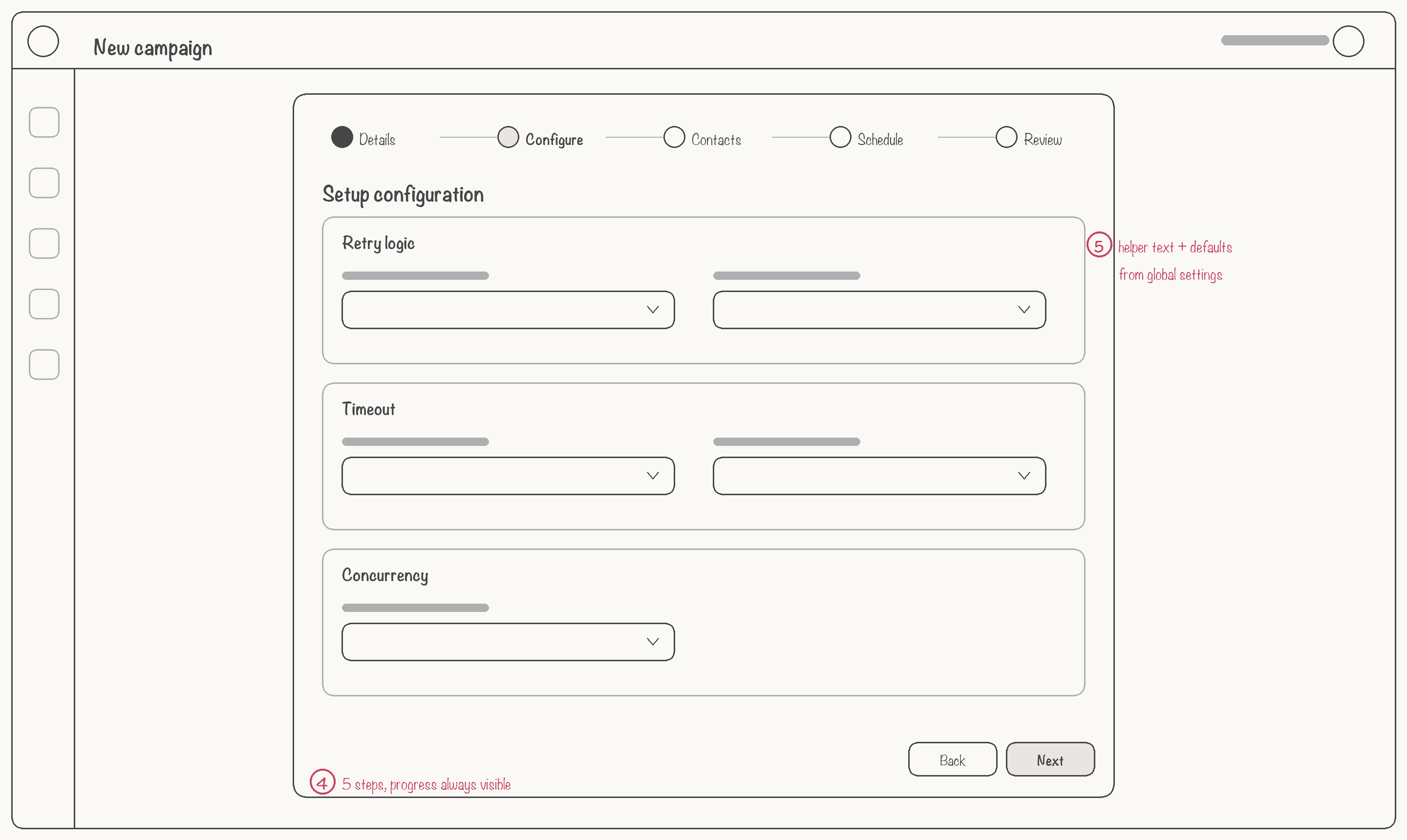
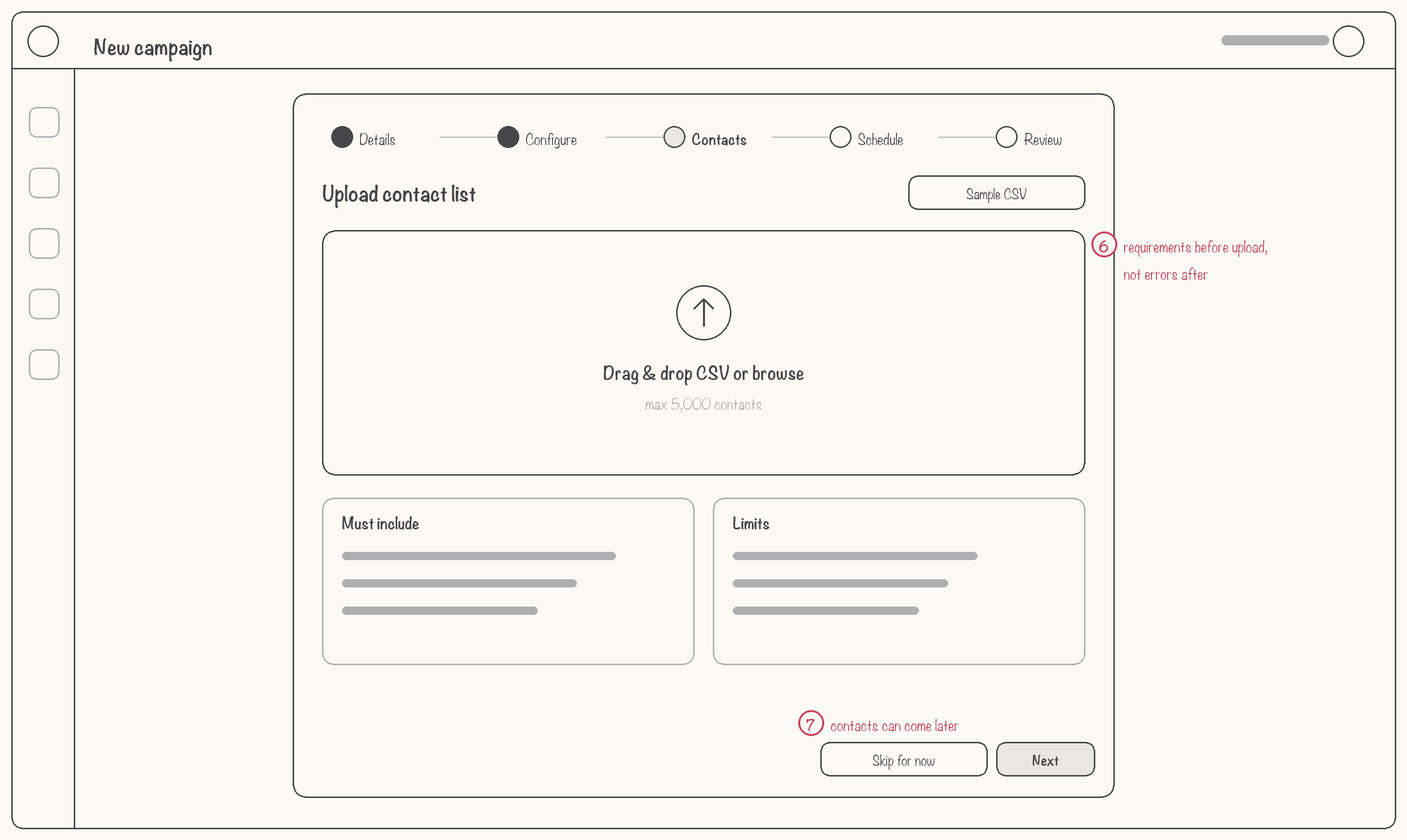
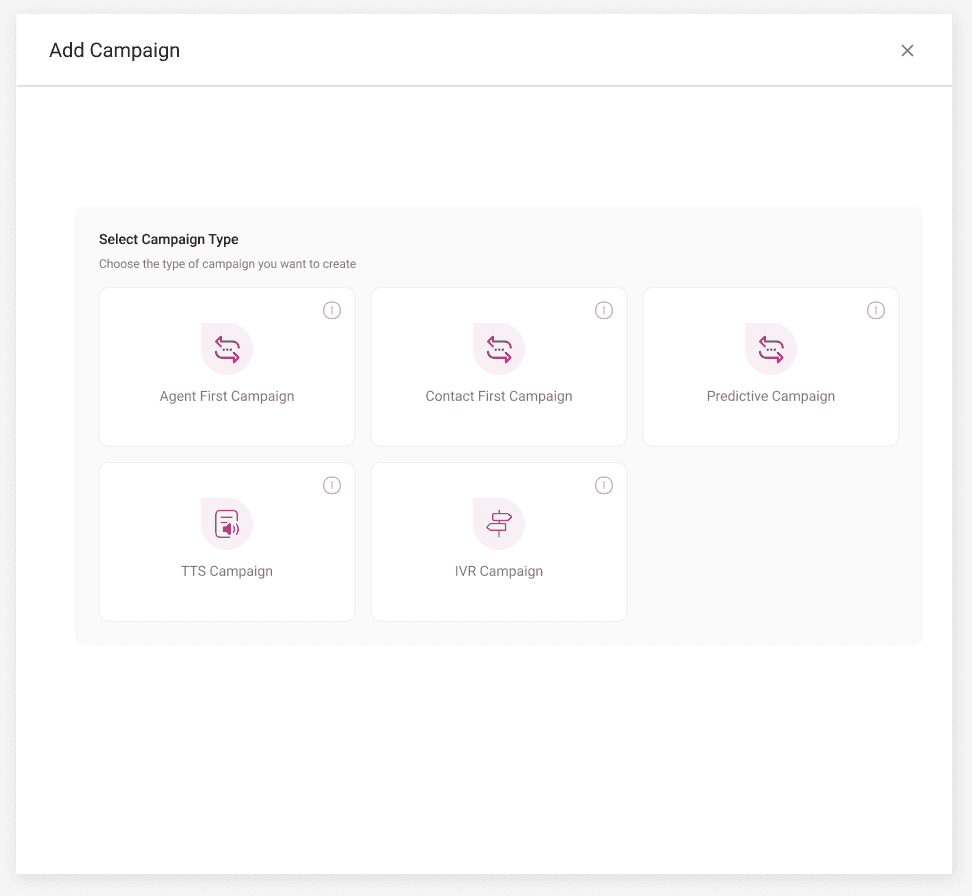
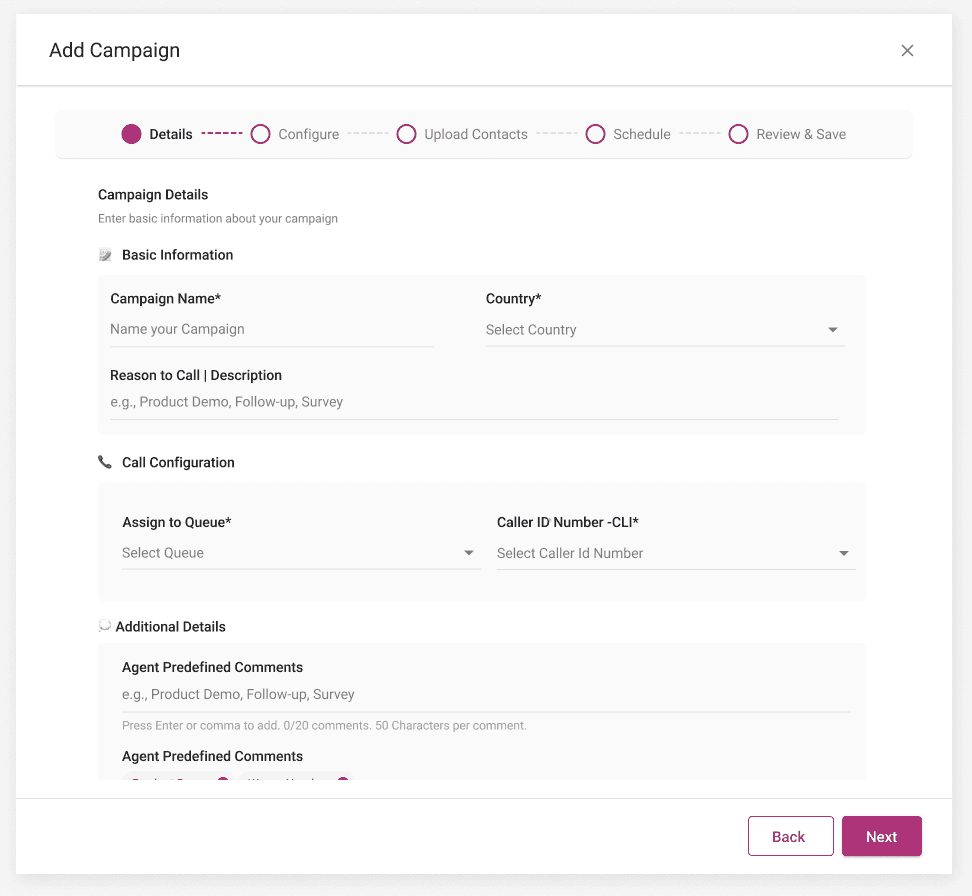
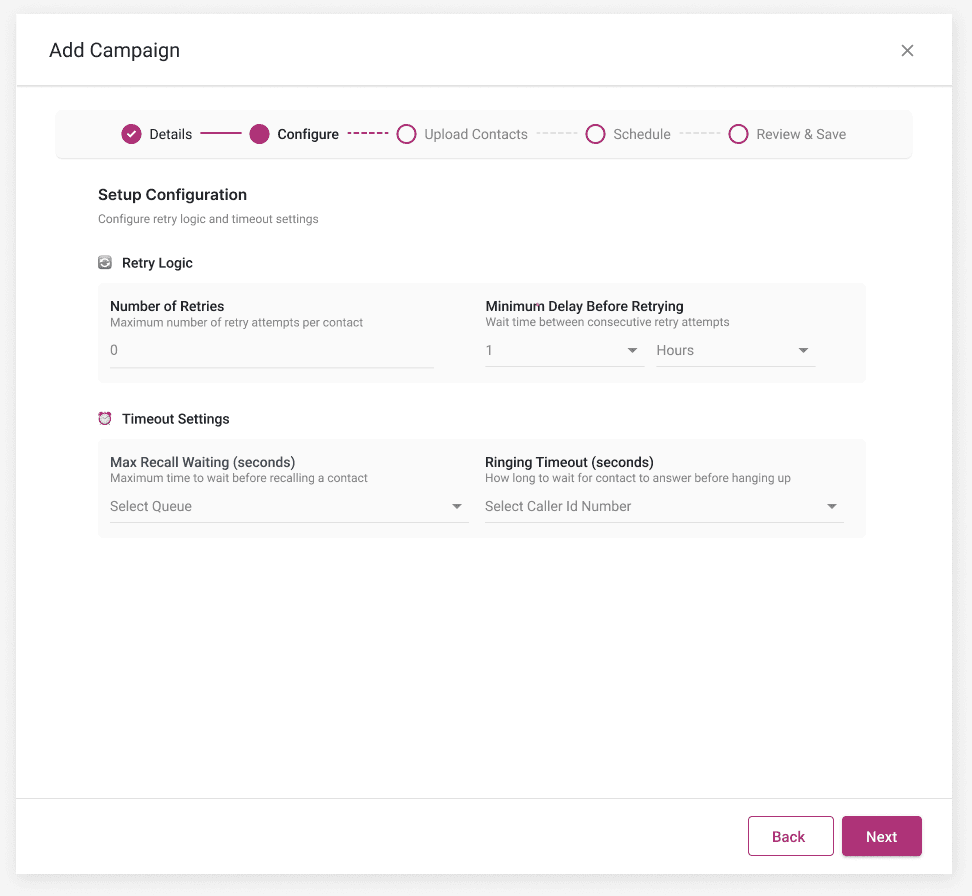
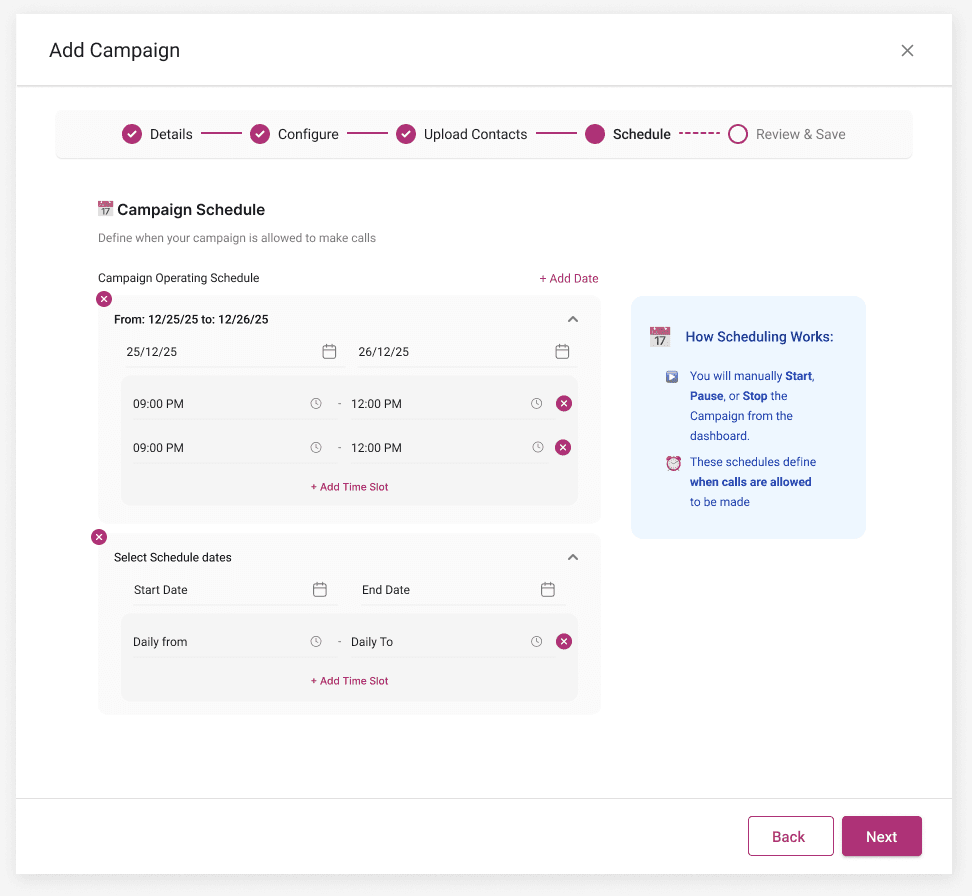
Creation became a five-step wizard. Most steps are identical for every type; only Configure changes — so the difference between types is contained in one place.
| Step | Agent / Contact-first | Predictive | TTS | IVR |
|---|---|---|---|---|
| 1 · Details | Name, country, queue, caller ID | Same | Same | Same |
| 2 · Configure | Retries, delay, ringing timeout | + Max concurrent calls, pacing | + Message → speech preview | + Menu keys & routing |
| 3 · Contacts | CSV upload, column check, review | Same | Same | Same |
| 4 · Schedule | Date range + daily calling windows | Same | Same | Same |
| 5 · Review | Summary, start now or later | Same | Same | Same |
Sketch, test, move one question
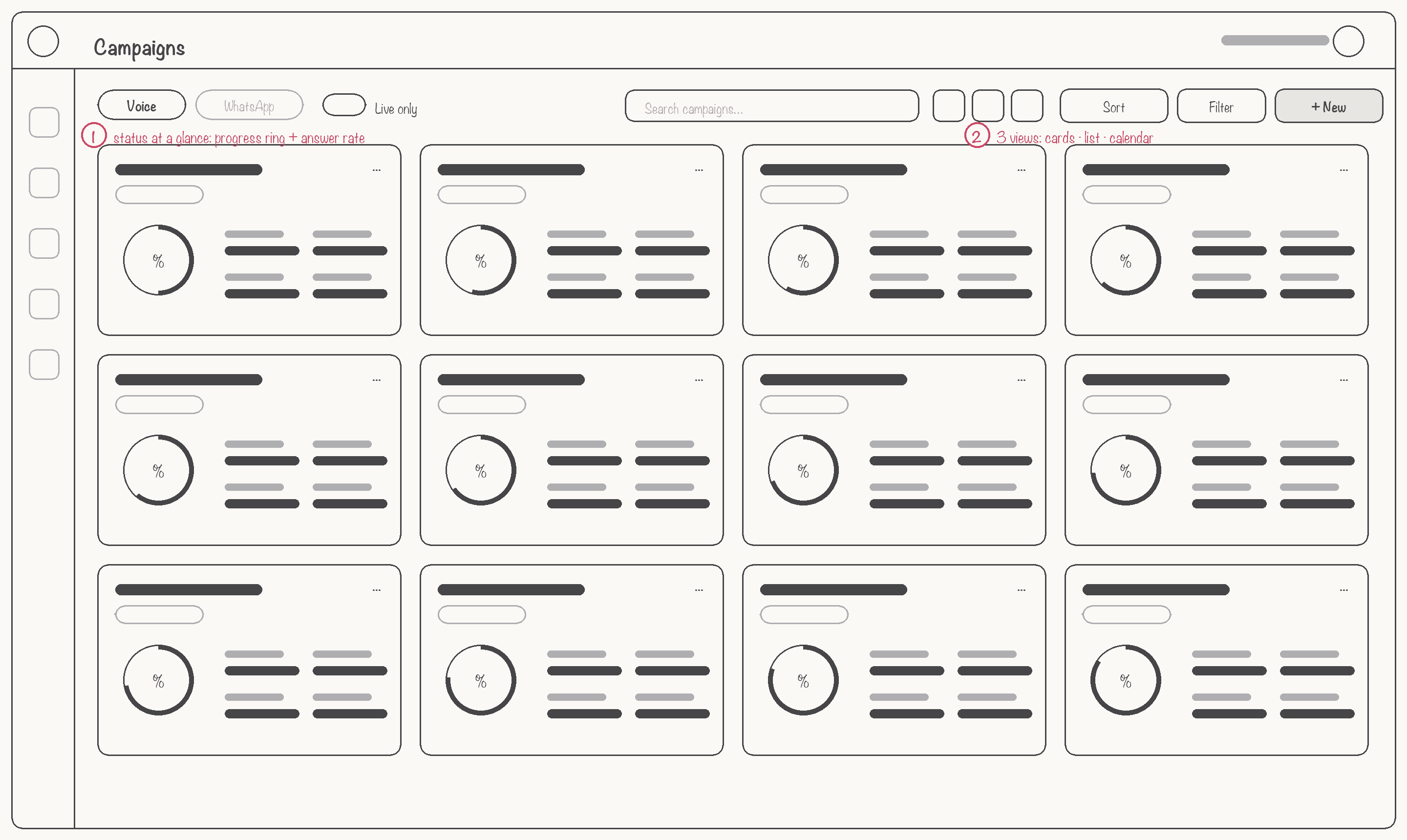
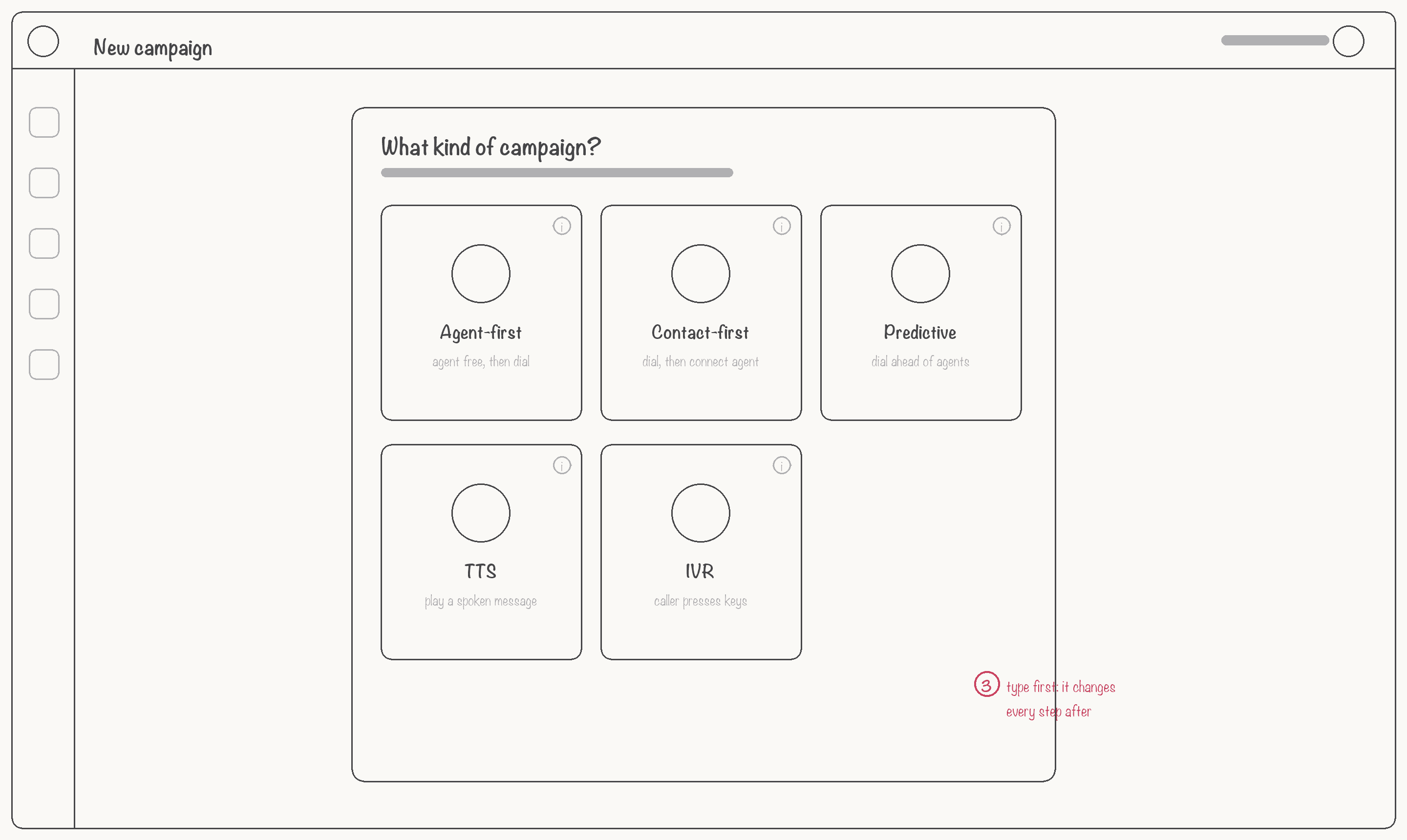
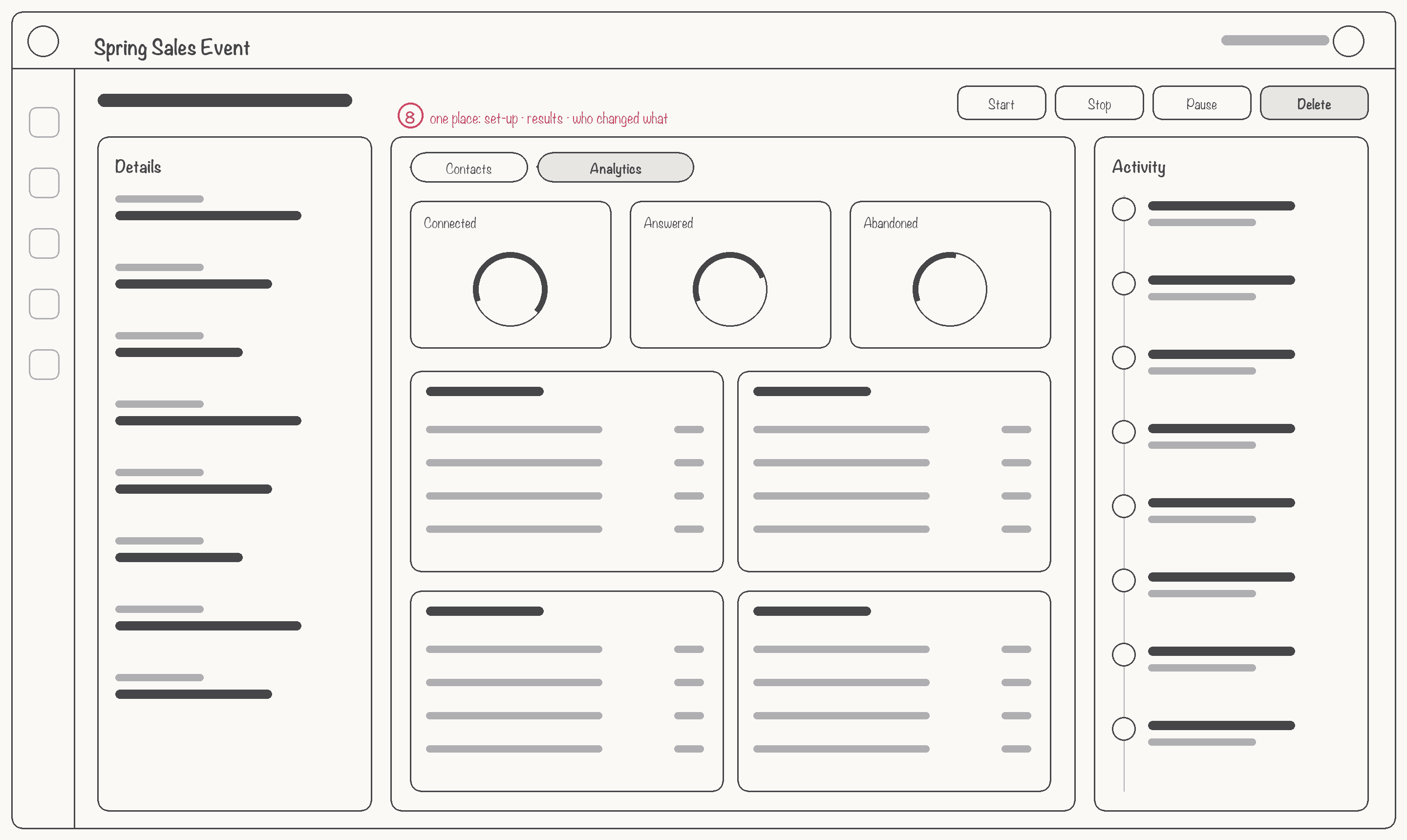
I sketched the key screens as low-fidelity wireframes and turned them into a clickable prototype. Six supervisors tried to set up and launch a collections campaign while thinking aloud.
The final experience
Built on our design system, with new components for campaign status, type chips, a stepper and an activity timeline.
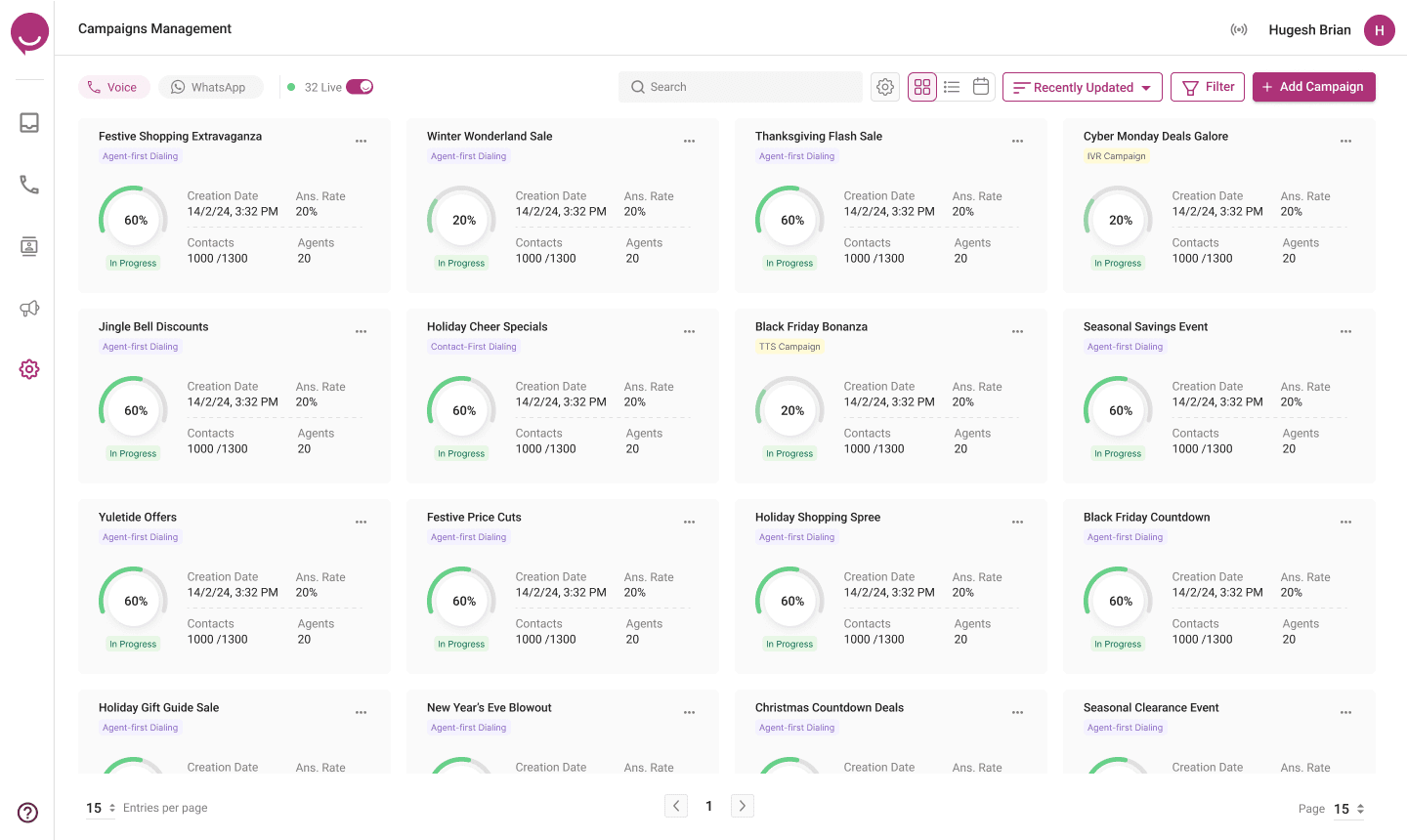
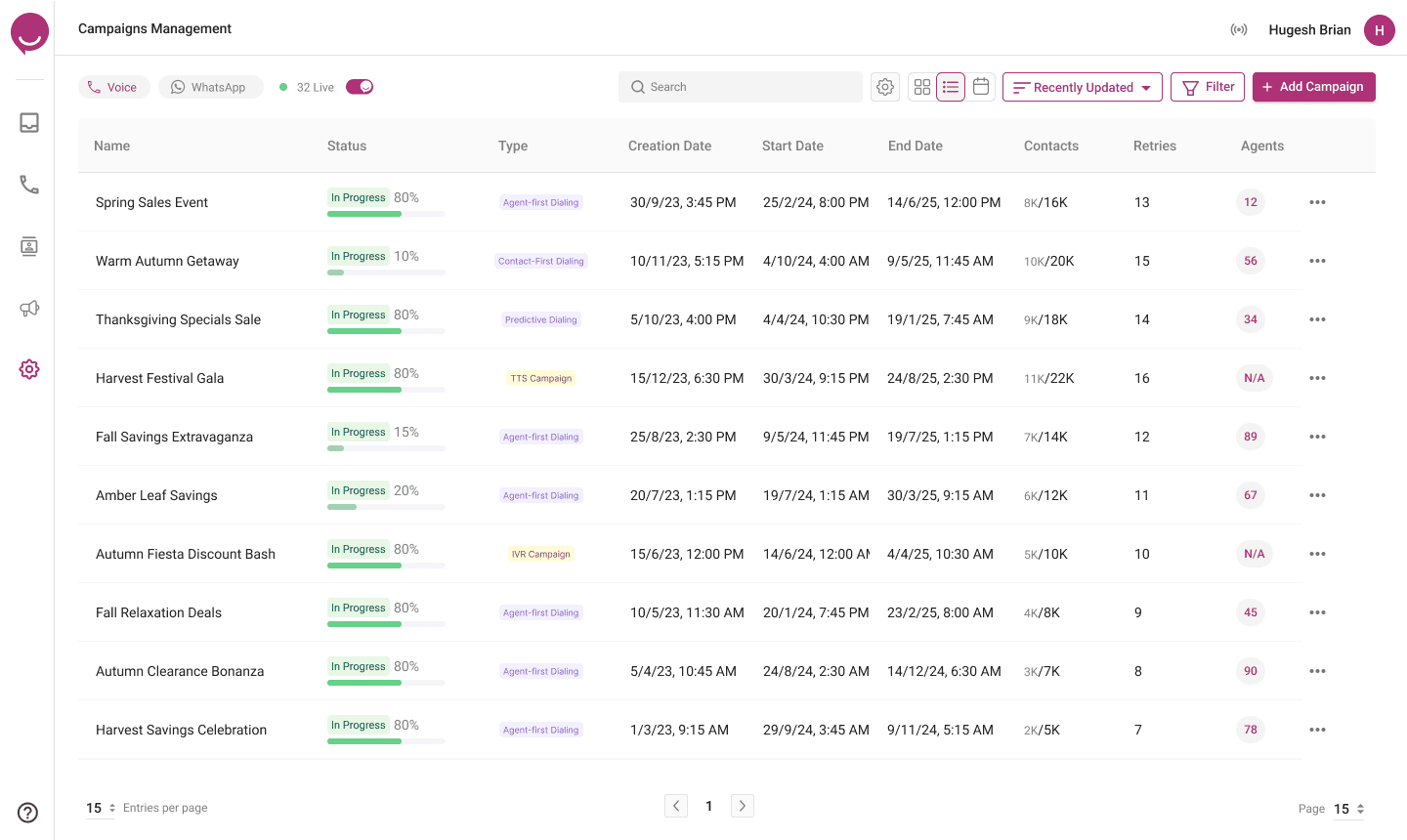
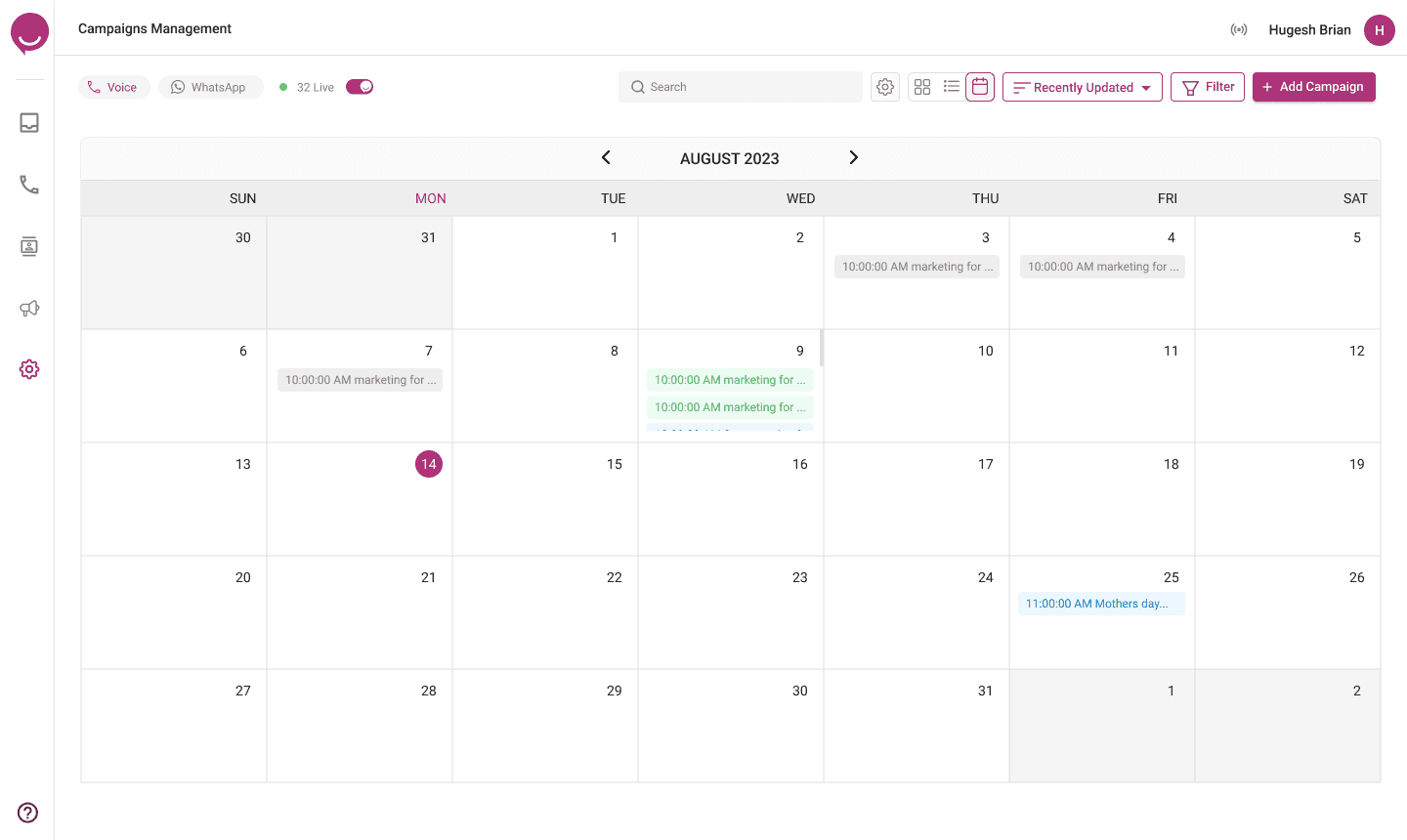
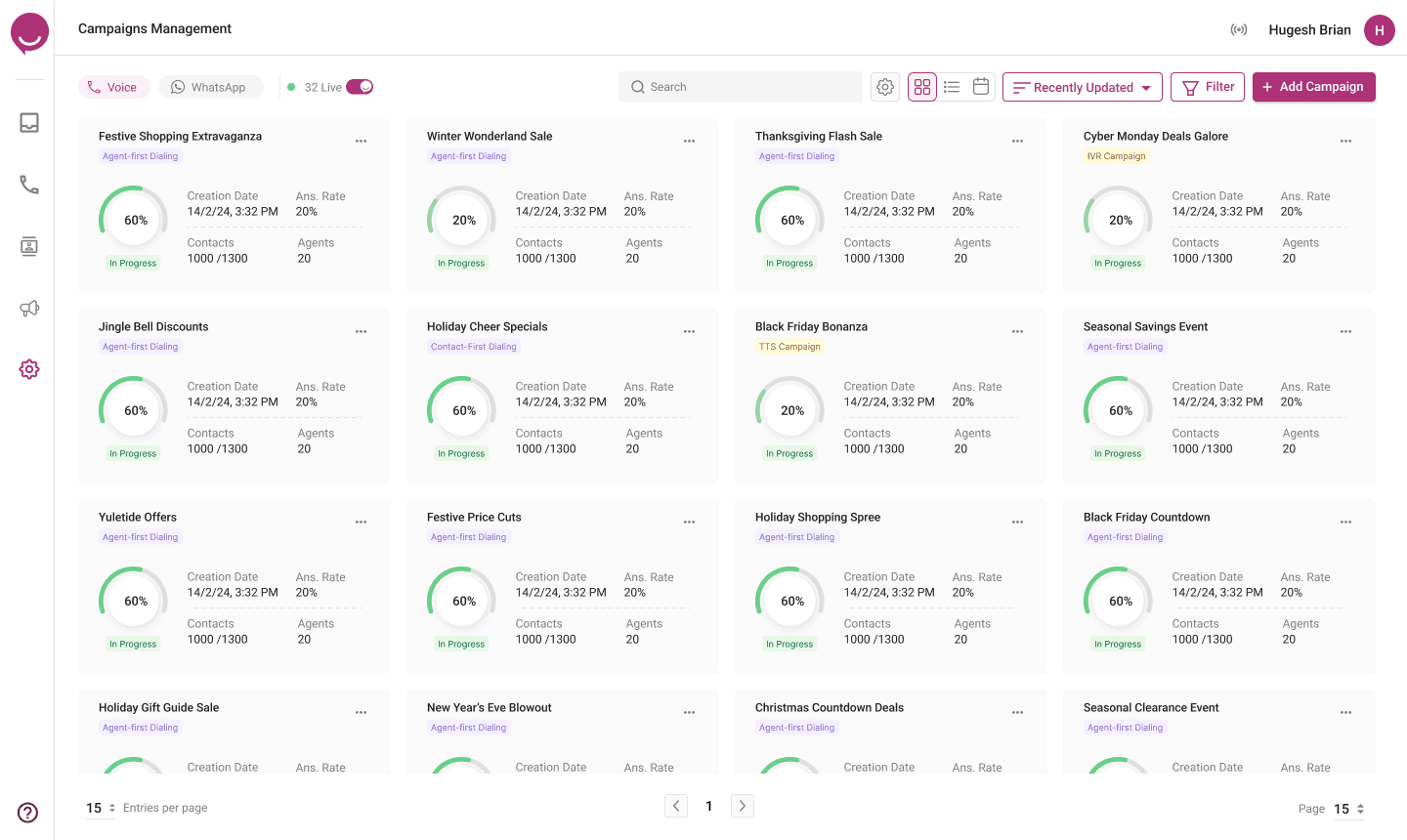
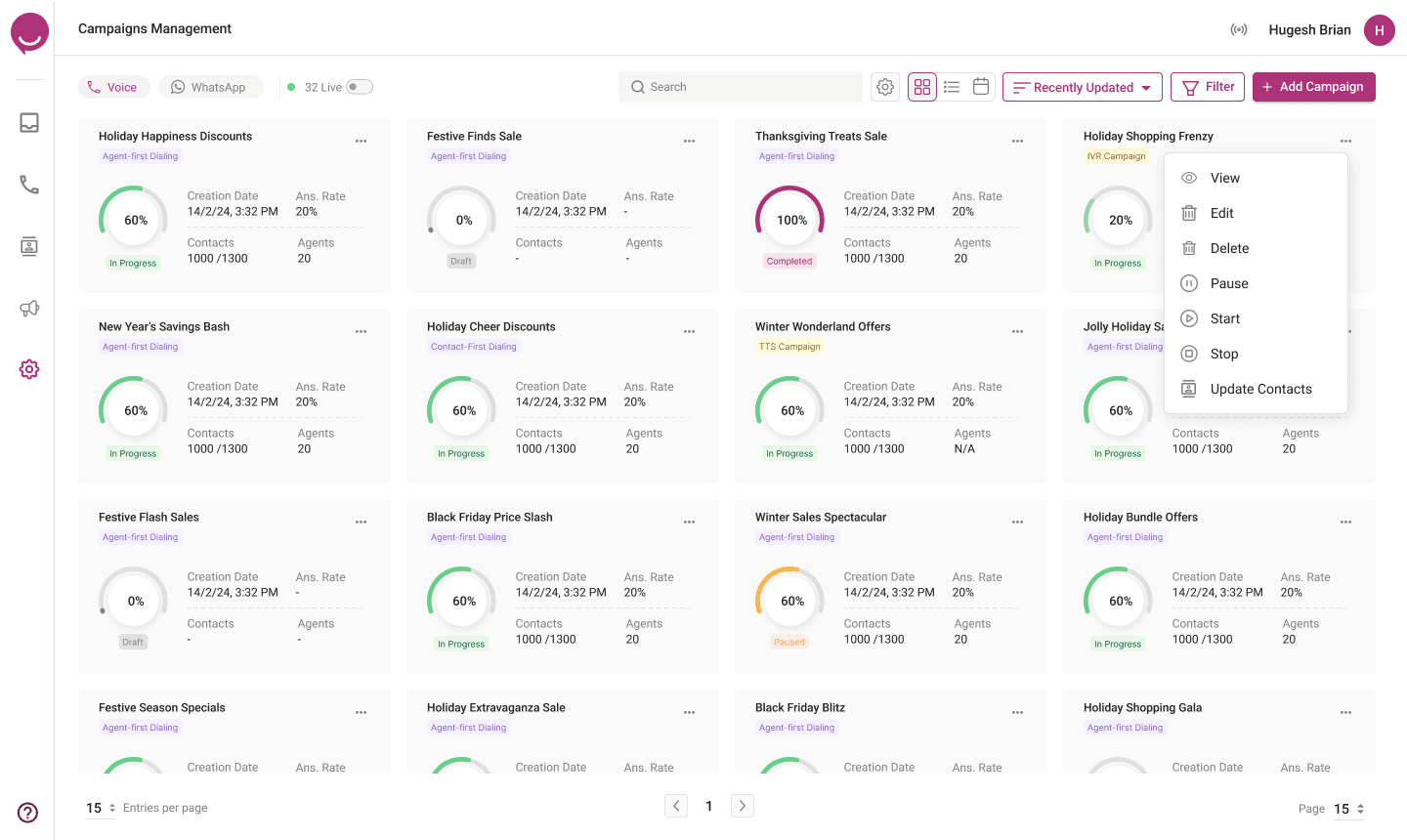
Every card shows progress, answer rate, contacts and agents. A “Live” toggle filters to running campaigns; list and calendar views support planning and bulk actions.
The type picker explains each dialing mode in one line. Every step after it is pre-filled from global settings, and a review screen lets supervisors start now or later.
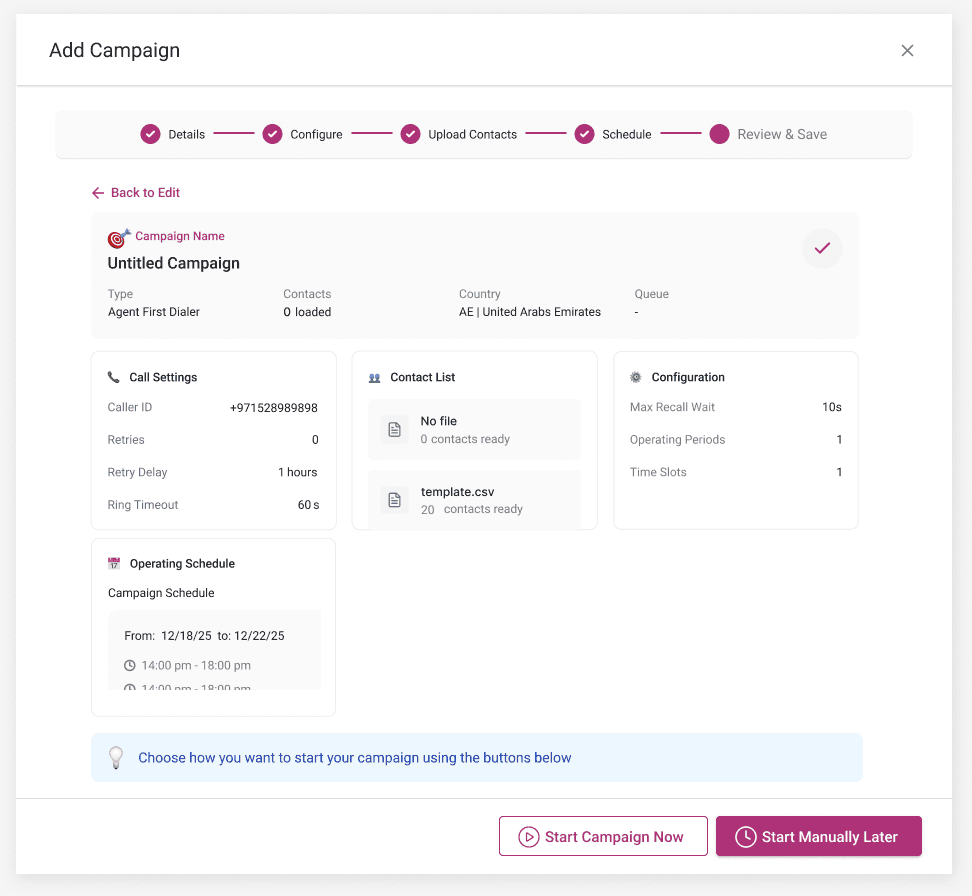
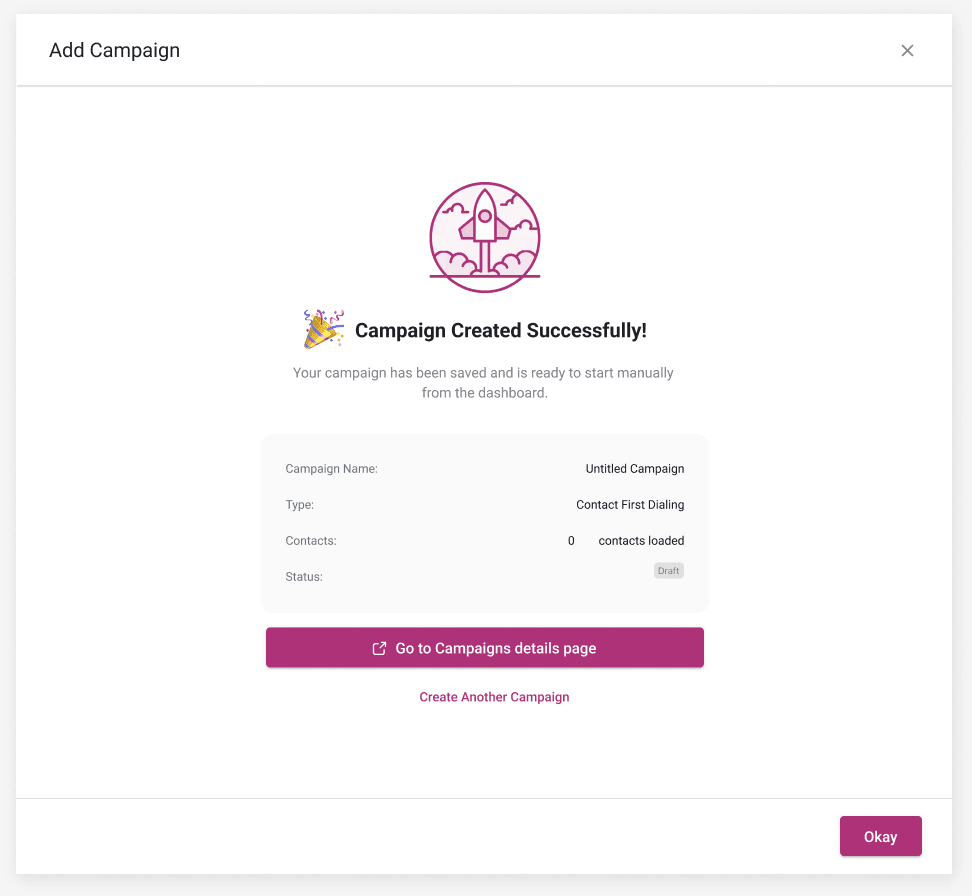
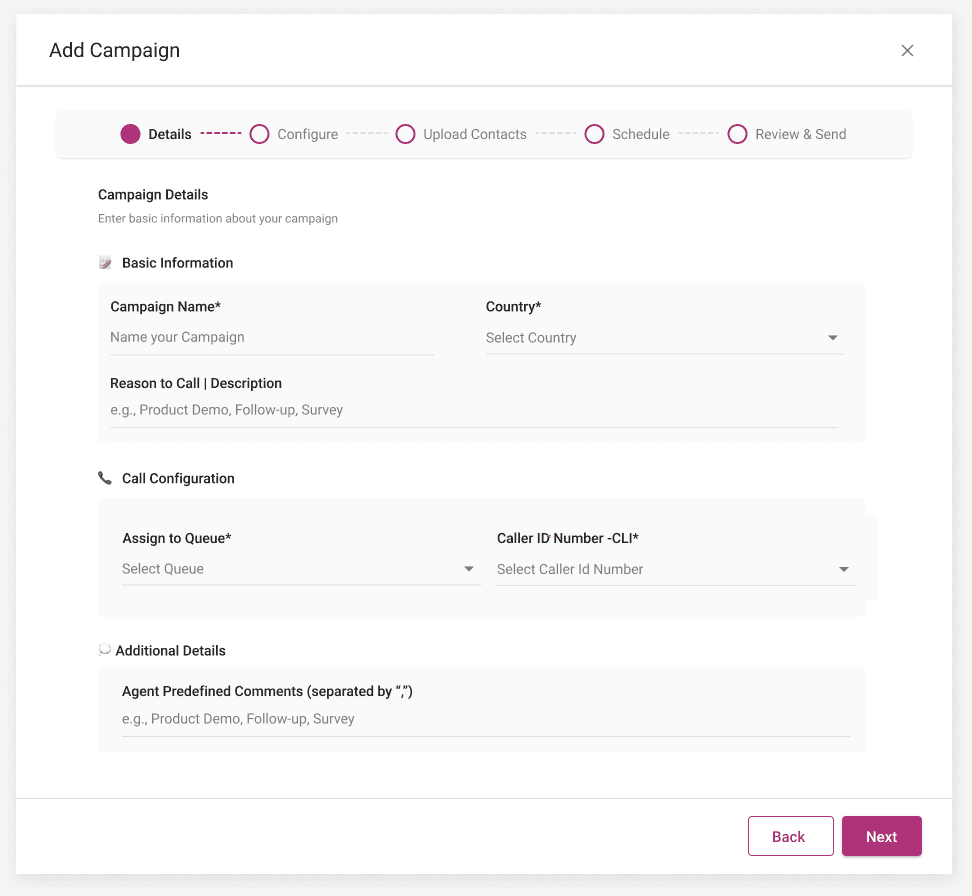
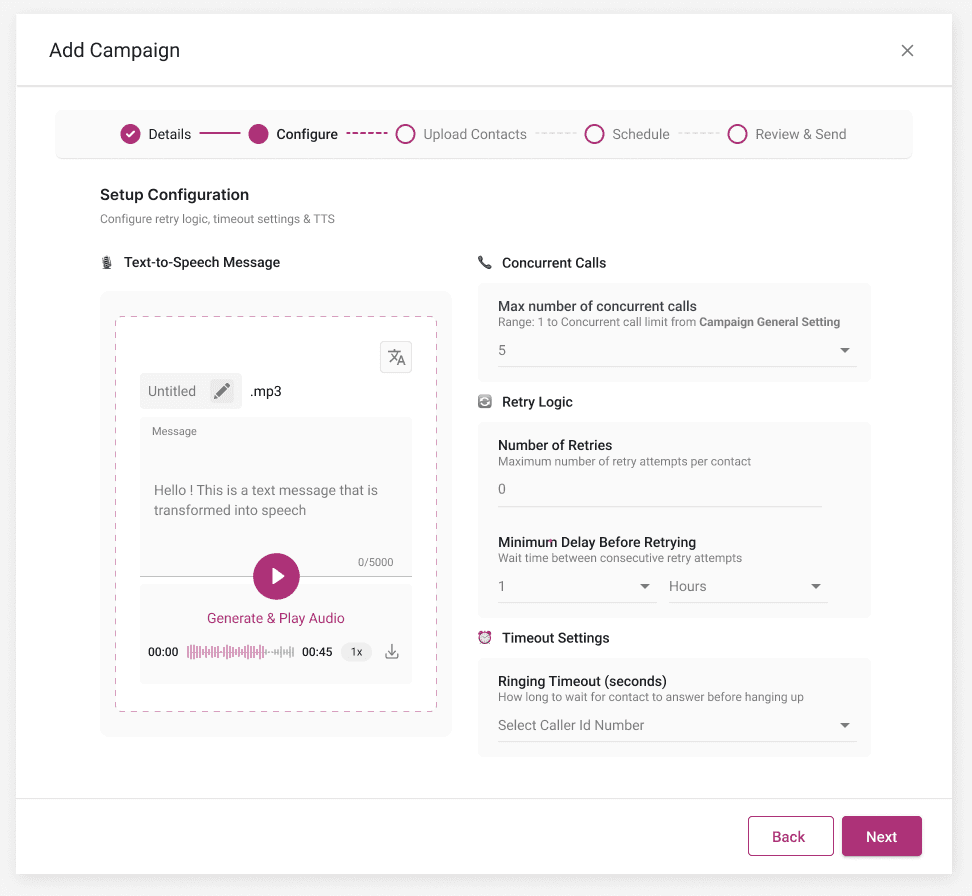
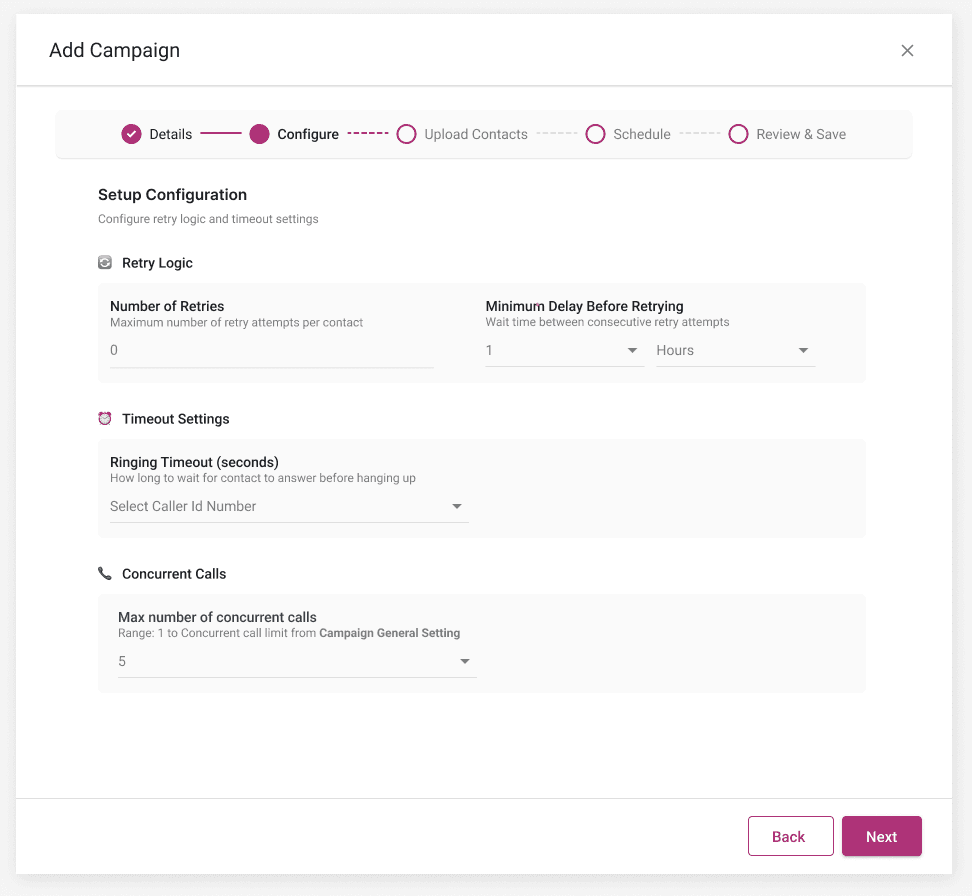
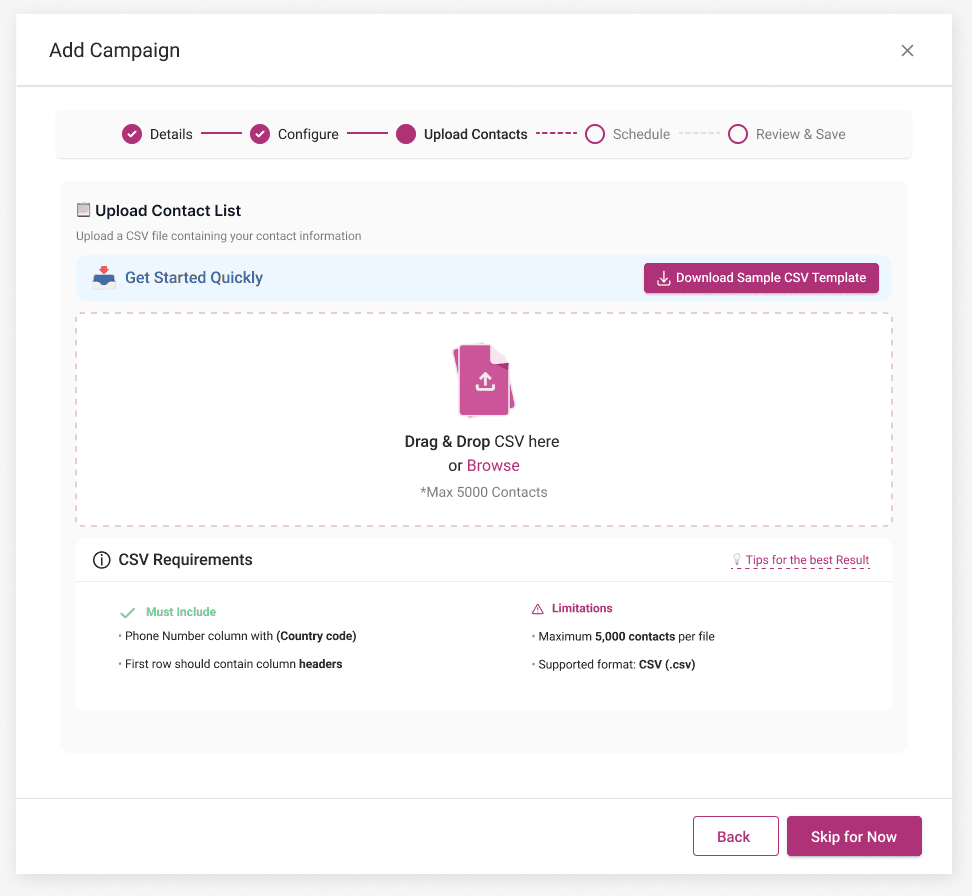
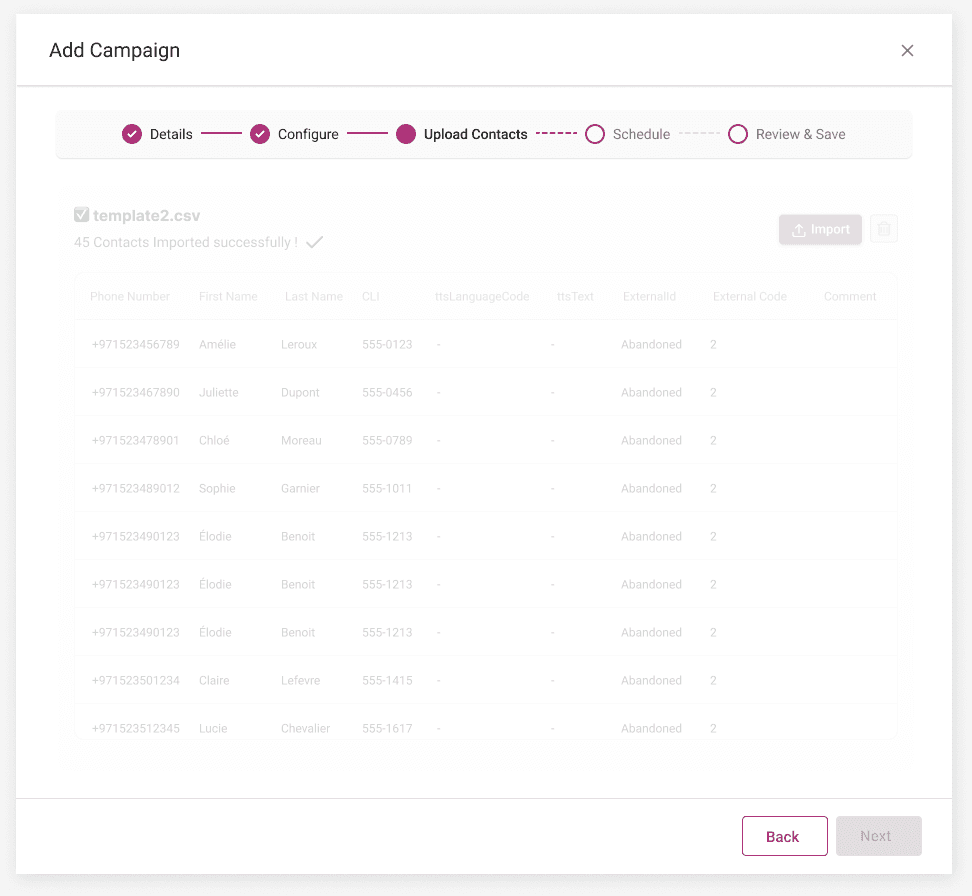
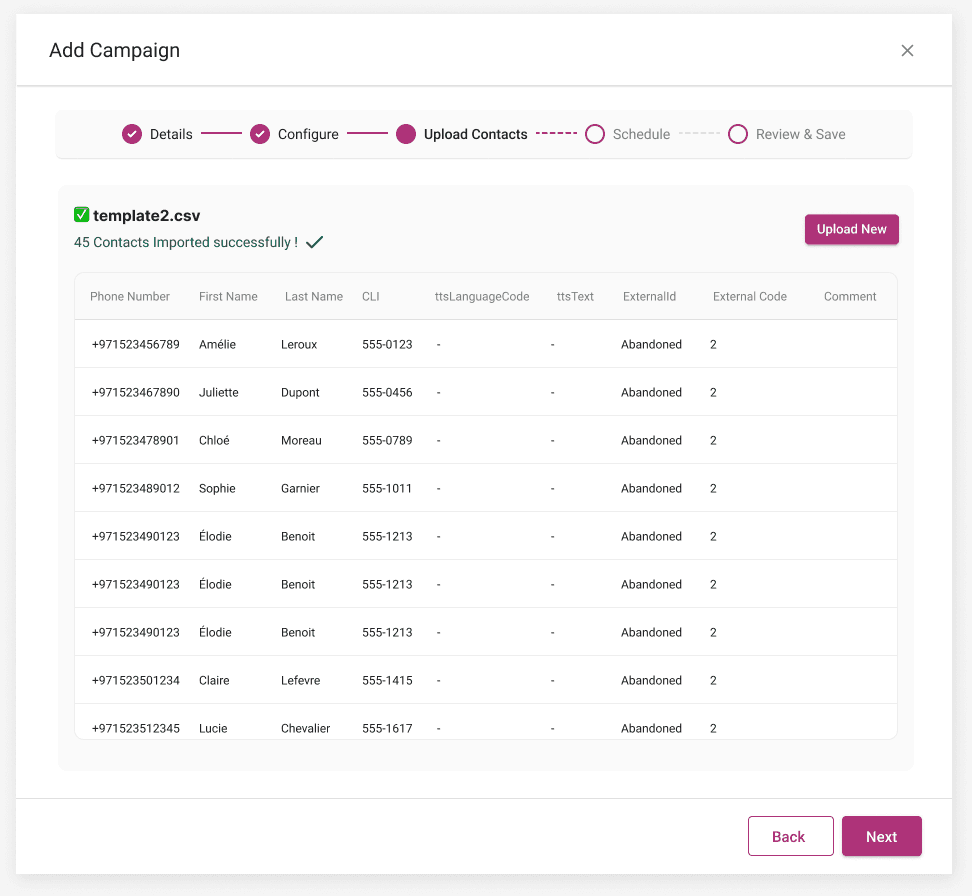
Rules and a sample template sit above the drop zone, the import shows its progress, and the validated list can be reviewed before moving on. Contacts can also be added later from the campaign page.

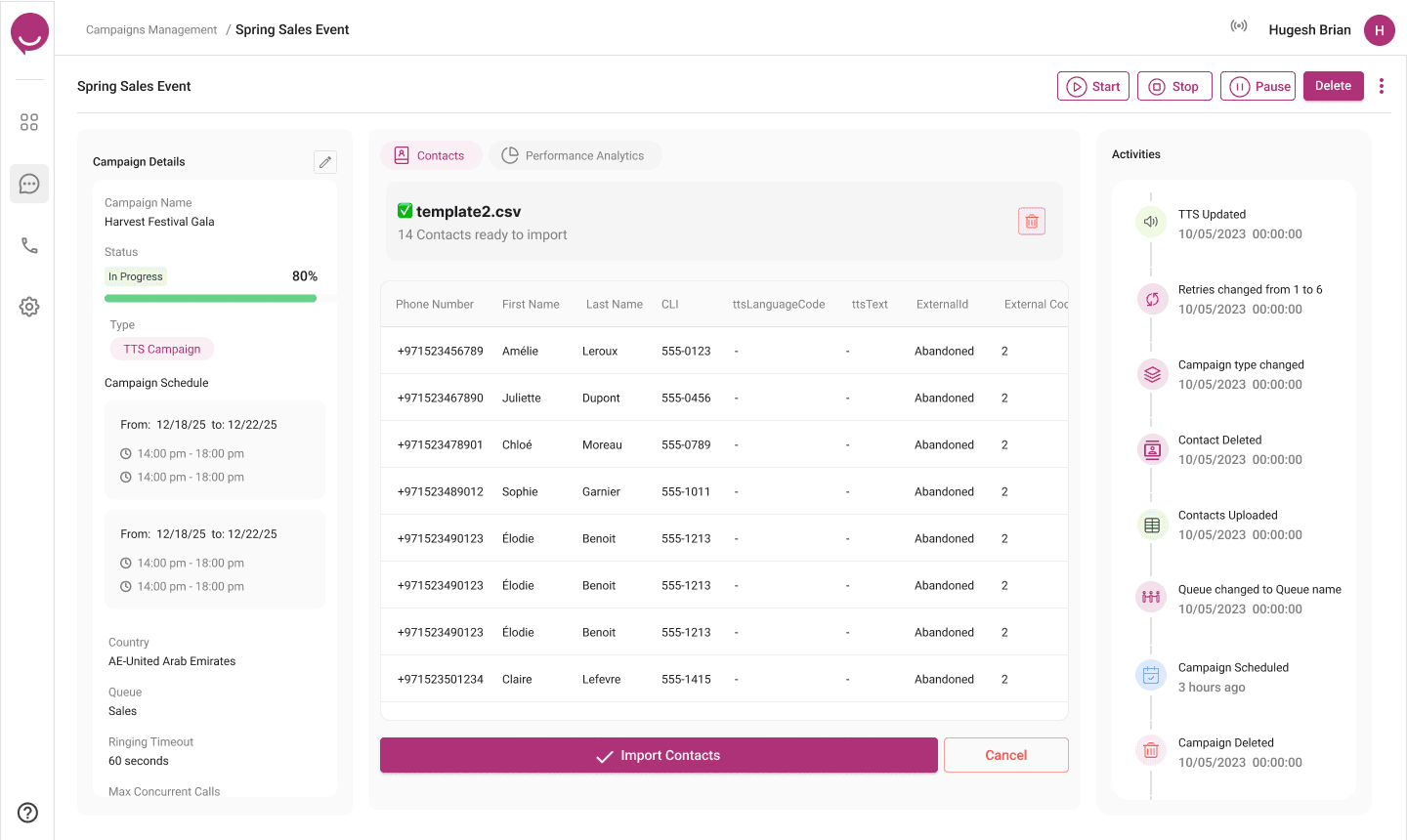
The campaign page combines set-up details, live analytics and an activity log that records every start, pause, edit and upload with time and author.
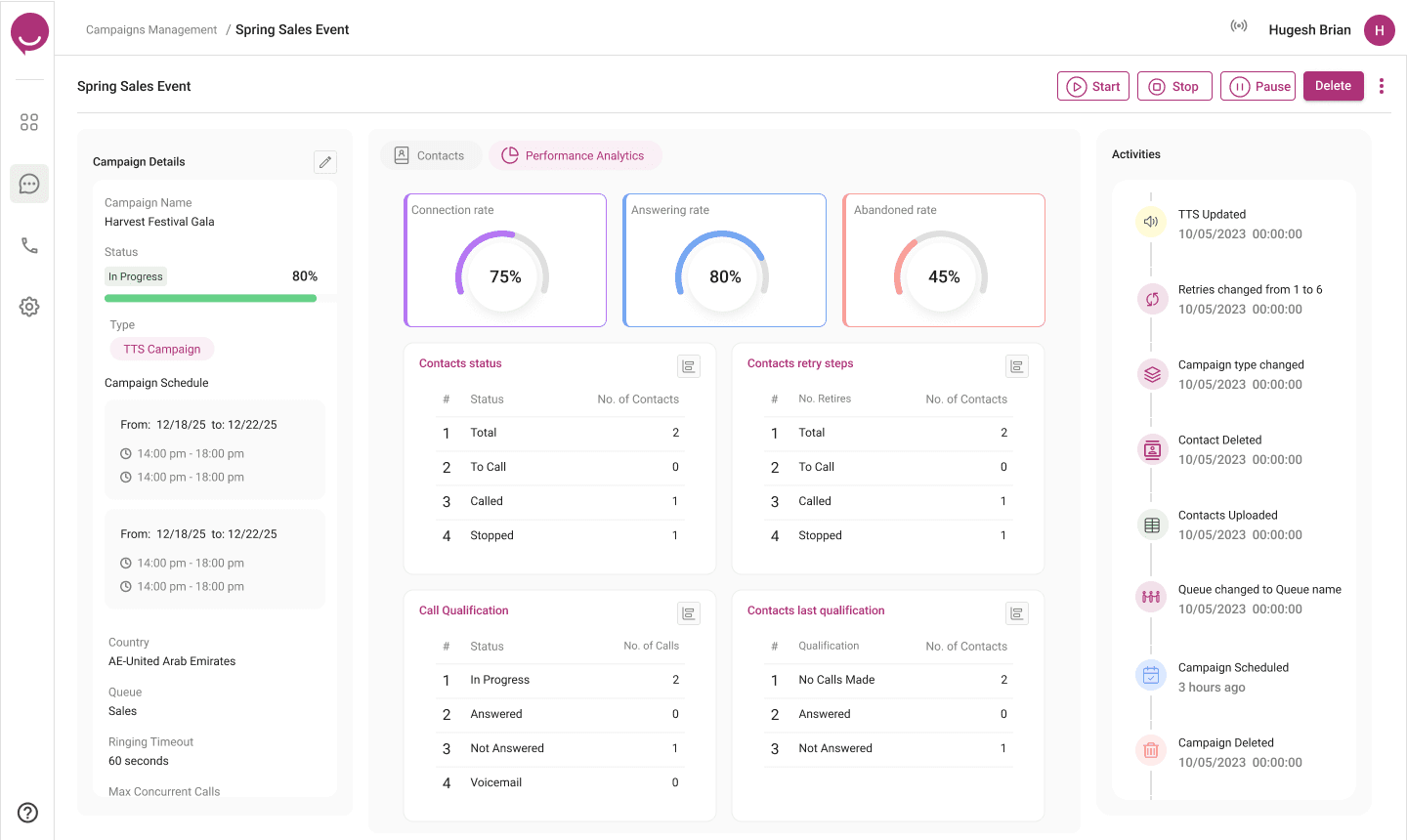
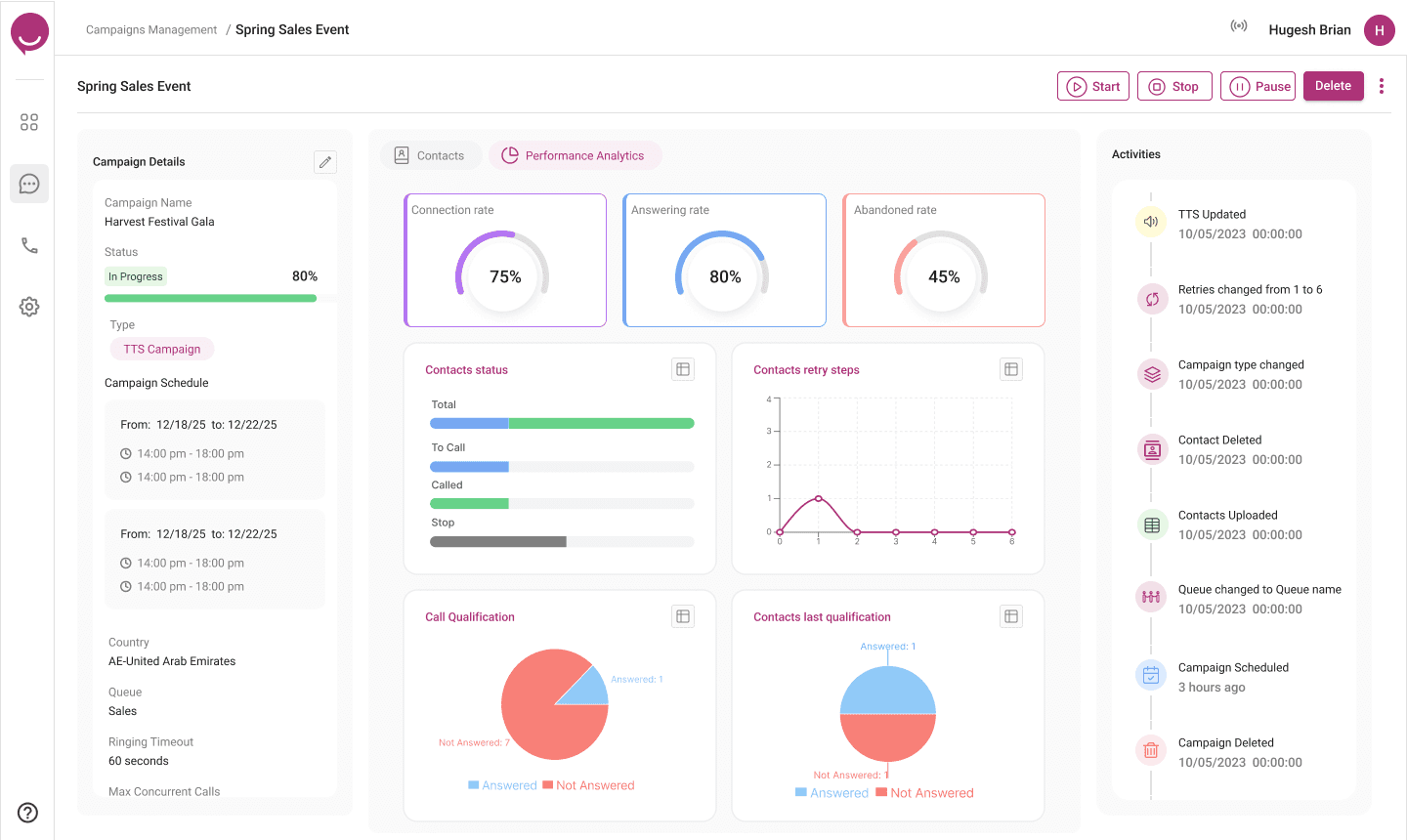
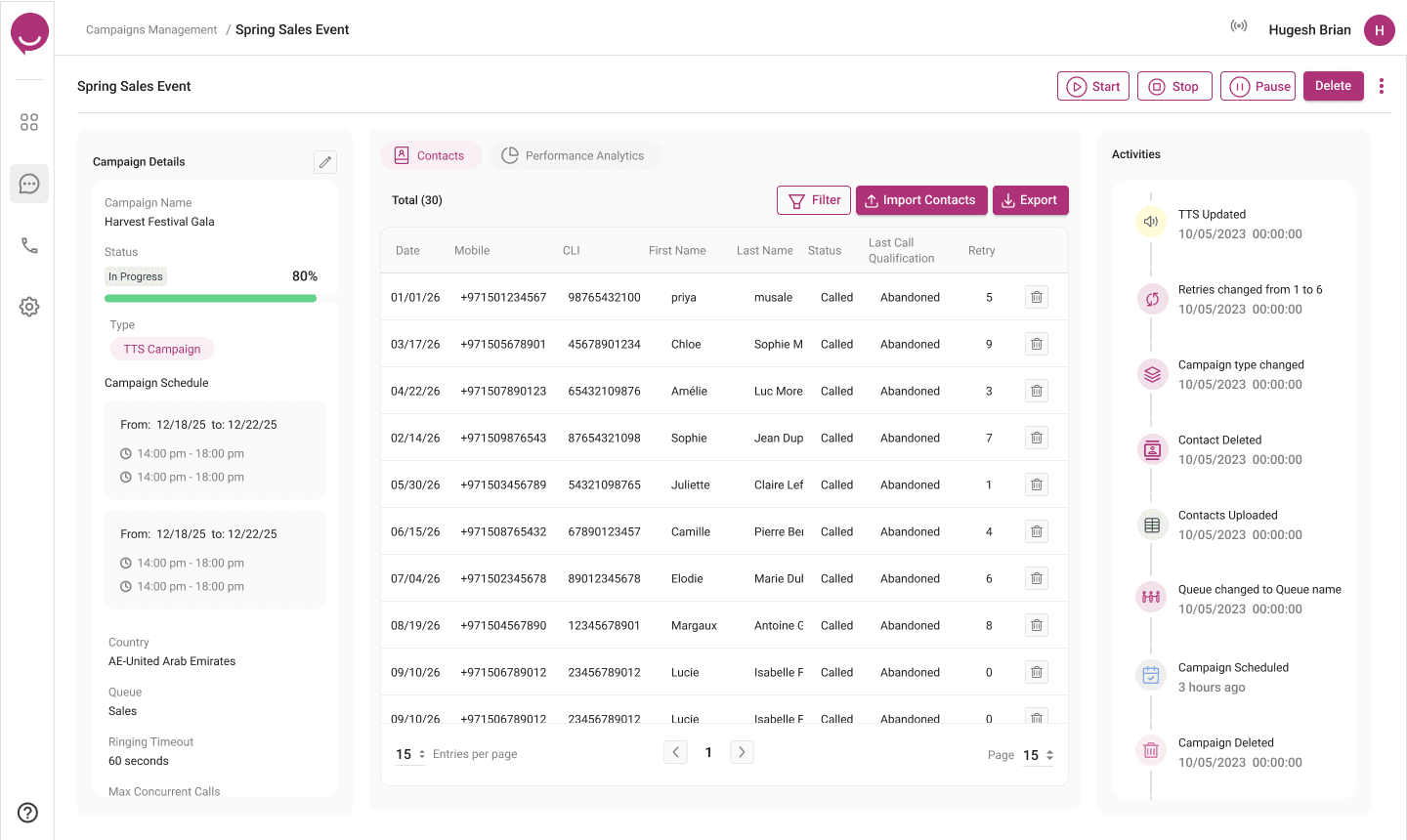
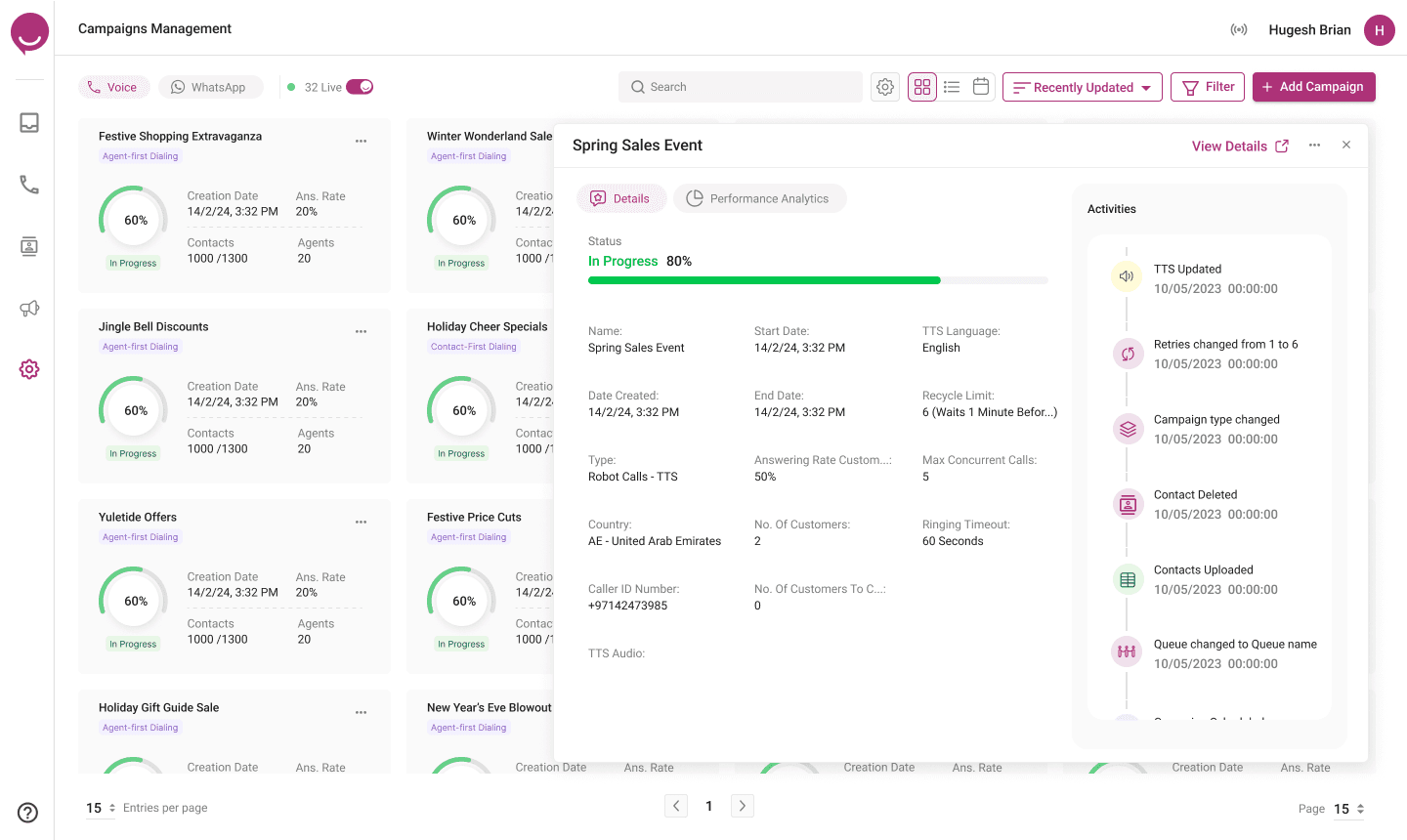
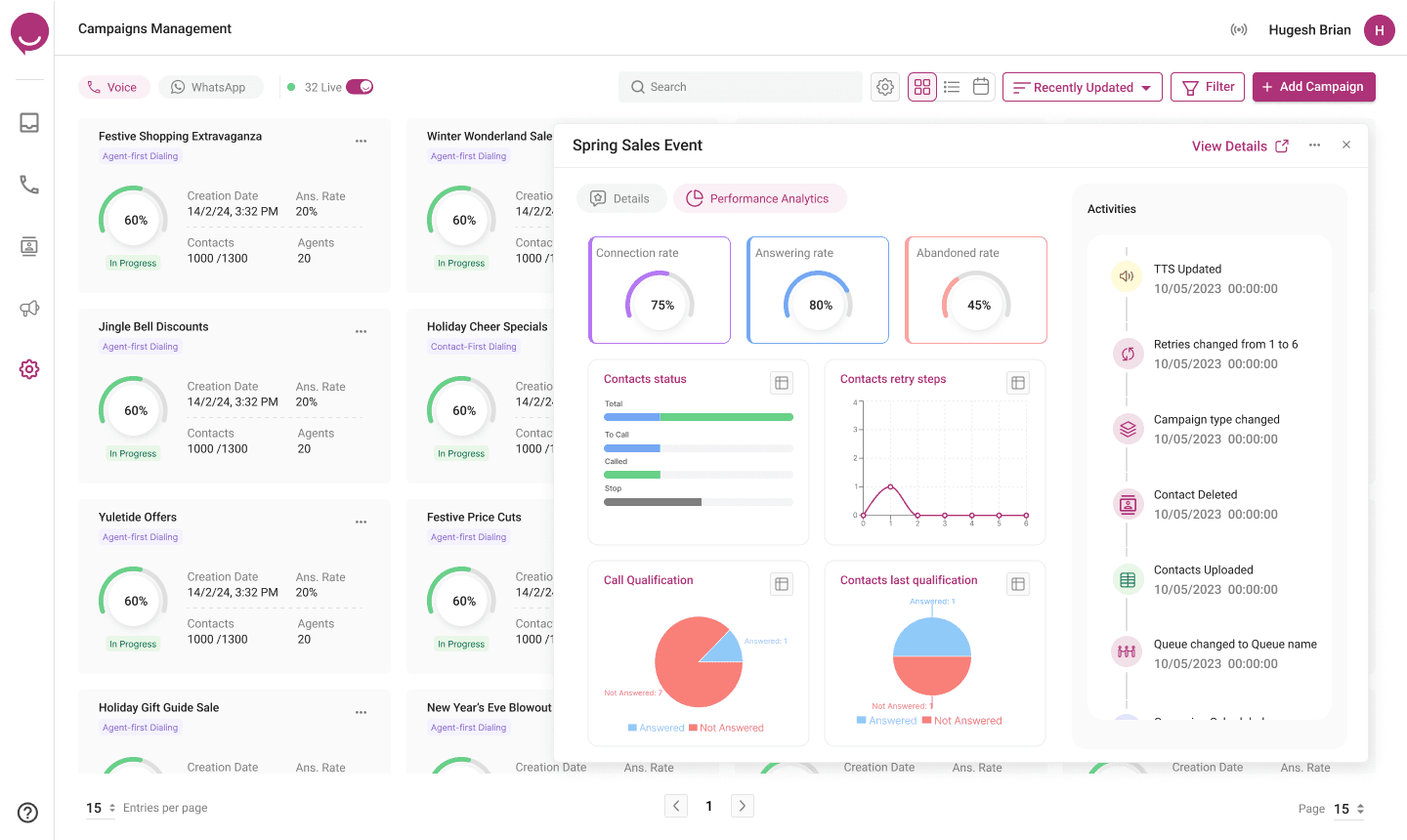
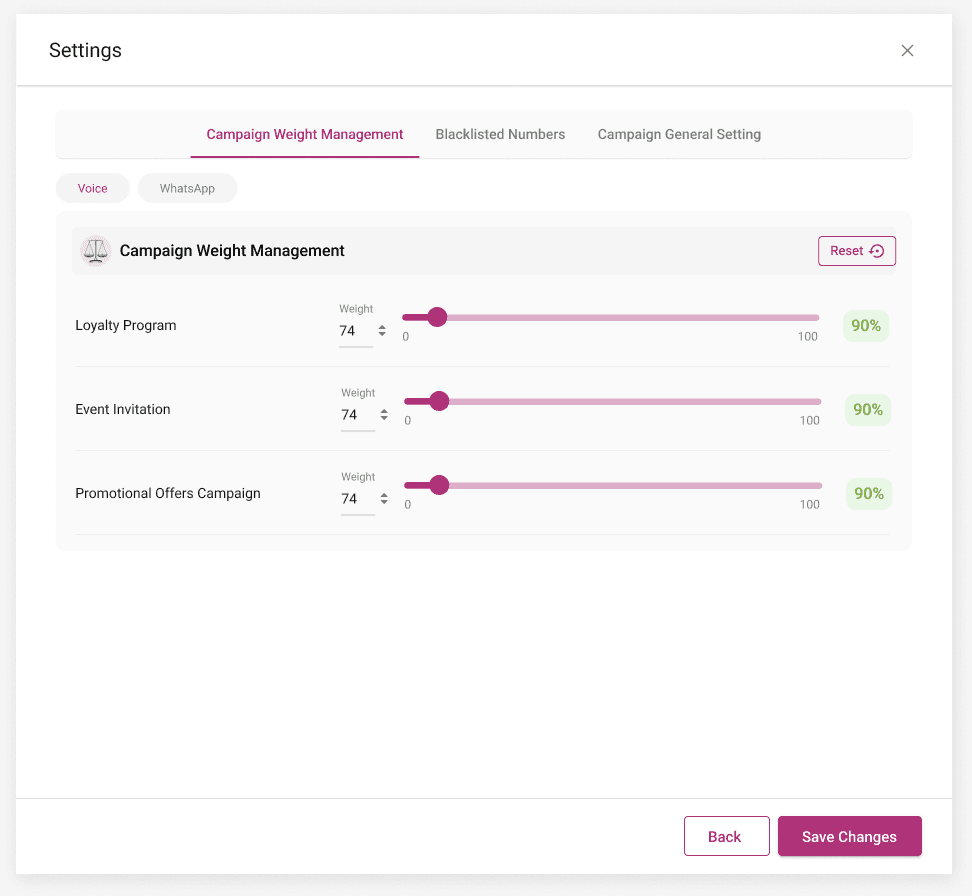
Filters and bulk actions help manage dozens of live campaigns; destructive actions ask for confirmation; global settings and the blacklist keep every campaign inside the admin’s limits.
Trade-offs I had to make
Tested before build, measured after launch
Before development, eight supervisors completed five core tasks on the hi-fi prototype — creating each campaign type, fixing a bad contact list and pausing a live campaign. After launch we tracked set-up time and support volume for three months.
What I’d take to the next project
Next, I would extend the same flow to WhatsApp campaigns — the listing already supports both channels — and explore recommending the best calling window from past answer rates.