Omnichannel Platform
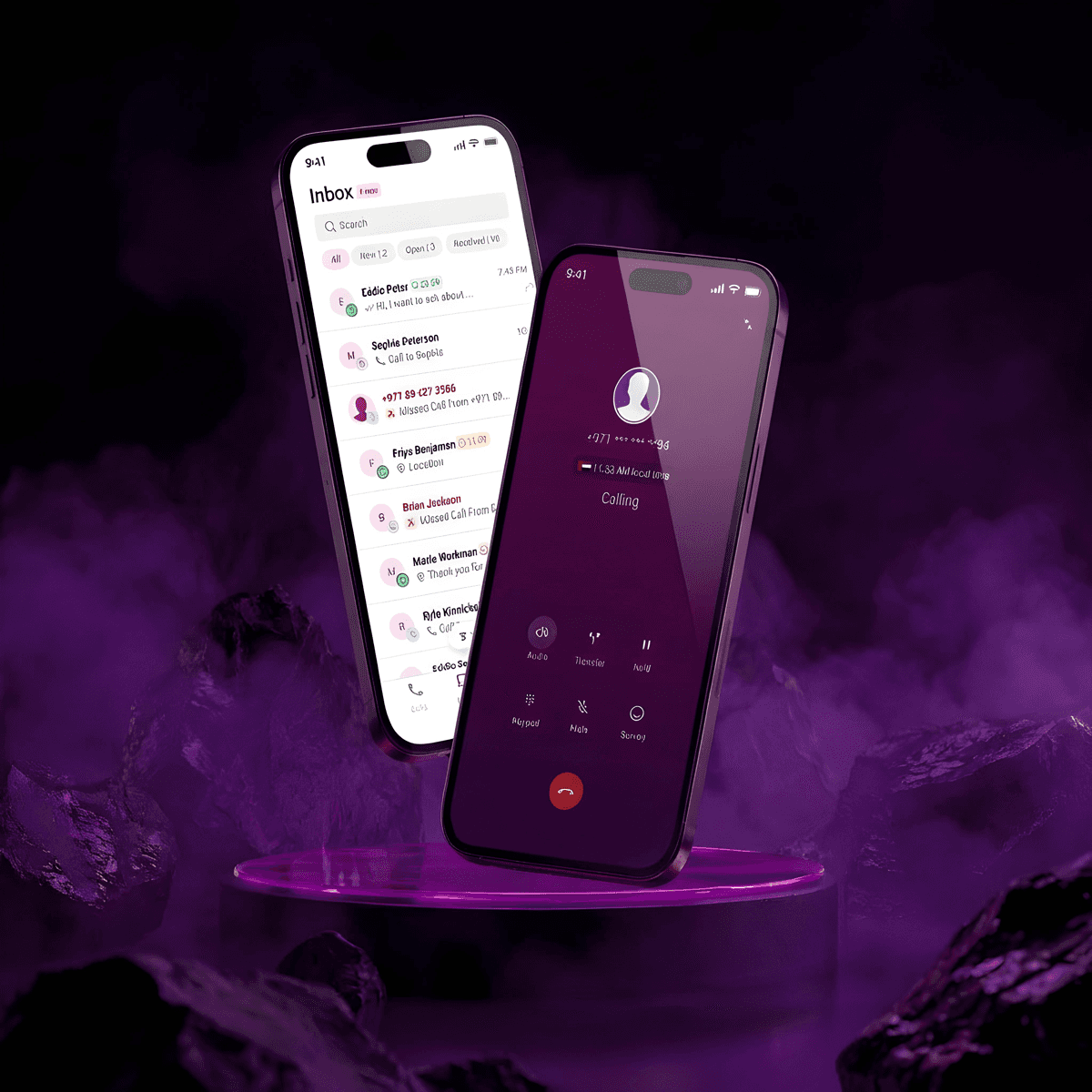
Designing a unified agent workspace that brings WhatsApp Business and voice conversations together — eliminating the context-switching that was adding 60% to response times.
Project Overview
Contact centers were asking their agents to handle WhatsApp Business messages and voice calls in completely separate tools — creating fragmented customer records, 60% longer response times, and a support experience that felt disjointed on both sides. I designed an omnichannel agent workspace that unifies both channels in a single, fast, context-aware interface.
"Agents needed to handle WhatsApp and voice conversations separately — creating 60% longer response times and fragmented customer experiences. How might we enable agents to handle both channels in a single workspace while maintaining conversation continuity and fast response times?"
The Problem
Customers increasingly preferred WhatsApp for business communication, but contact centers couldn't provide the same level of service quality they offered through traditional channels.
Research & Discovery
Analysed customer messaging patterns, interviewed contact center agents handling WhatsApp manually, and studied successful WhatsApp Business implementations across MENA enterprise clients.
Customers expected 5-minute response times on WhatsApp vs 24 hours for email — SLA requirements demanded a fundamental rethink of agent tooling
Rich media (images, documents, receipts) was essential for customer support — agents needed to view and share files without leaving the conversation
Agents needed quick access to pre-approved responses without losing the personal touch — templates must feel conversational, not corporate
Conversation threading was critical for complex, multi-day issues — losing context between sessions was the #1 agent frustration
Competitive Landscape
Benchmarking the leading contact centre platforms revealed a consistent gap: strong per-channel tools with no true conversation continuity across voice and messaging — the exact problem this product was built to solve.
What We Heard: Highlights from the First Briefing
Stakeholder interviews surfaced three recurring themes — fragmented tooling, invisible SLAs on WhatsApp, and the operational cost of context loss at every channel handoff.
We need agents to handle WhatsApp and voice from a single screen — today they're switching between three tools and losing context every single time.
The product needs to ship within 5 months. We're prioritising conversation continuity and speed over feature breadth. Agents can't be slow.
Supervisors need real-time visibility of agent availability — right now they have to walk the floor to check who's free for an escalation.
Our SLA for WhatsApp must match voice. Agents treat it as a secondary channel because there's no way to measure it — that has to change on day one.
We handle over 100,000 interactions a day. Template management has to be instant — agents cannot be scrolling through a list while a customer is waiting.
Routing logic needs to be smart from launch. Tier 1 queries should never reach a senior agent. Skill-based routing isn't optional — it's operational.
Customers repeat themselves every time they switch from WhatsApp to a call. That repetition is the number one thing destroying our CSAT scores.
We want a unified agent status — 'Available on WhatsApp' and 'Available on Voice' should be one state, not something agents manage separately.
Rich media is non-negotiable. Customers send photos of receipts, IDs, and damaged goods. If agents can't view those in context, the whole flow breaks down.
Primary Persona — Sarah
"My customers don't care which channel they're using — they just want their problems solved without repeating themselves. I need to see our entire history, regardless of whether we spoke on the phone yesterday or are texting today."
Sarah manages approximately 35 ongoing VIP customer relationships and needs to be responsive even when away from her desk.
She frequently starts conversations via WhatsApp, escalates to a voice call for complex issues, then follows up with confirmation details via SMS.
Information Architecture
Mapping the complete product structure — from authentication through every section and channel type — to ensure every agent workflow had a clear, logical home before a single screen was designed.
Each channel within a conversation surfaces contextually relevant data. A voice call shows recording controls; a WhatsApp thread shows rich media; an email shows threading. Same workspace, channel-appropriate detail.
Wireframes — the voice call flows
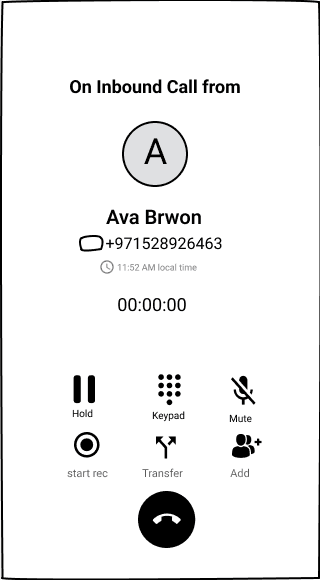
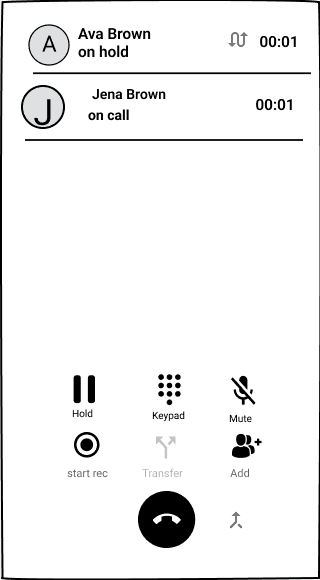
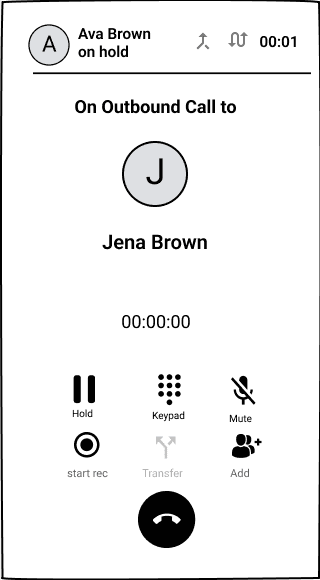
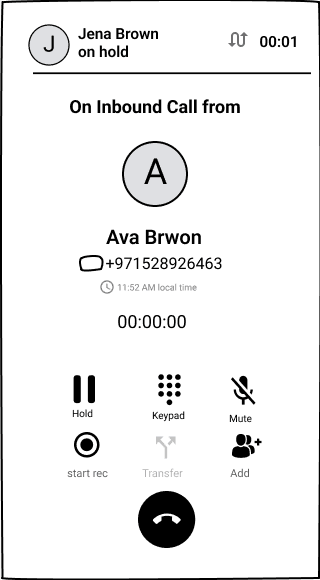
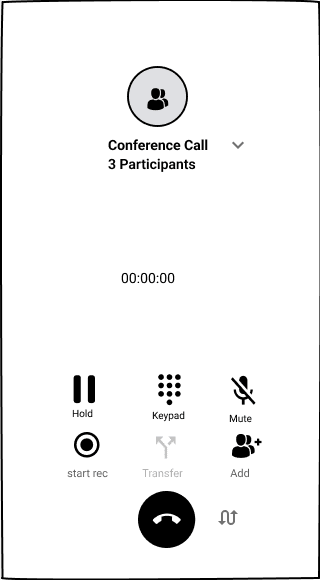
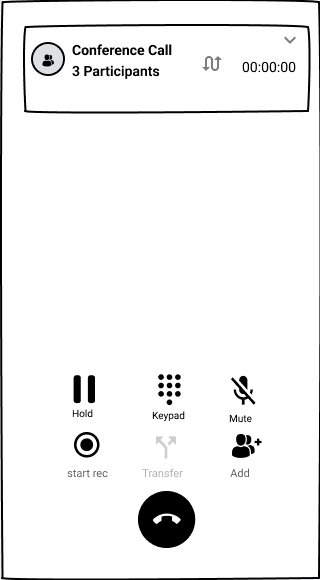
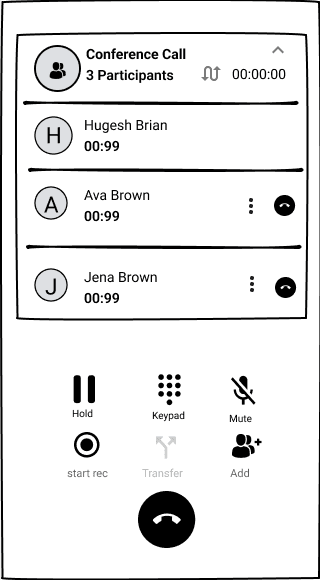
Voice is where agents lose the thread fastest, so I wireframed every in-call state of the dialpad before any visual design. The low-fidelity screens let us agree the interaction model with the telephony engineers — who is on hold, who can hear whom, and what one tap does — without debating colours.

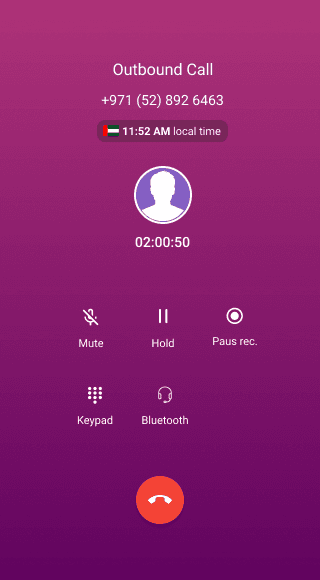
Every outbound call starts here: the number with its country flag, and the queue the call is made from, so reporting and caller ID stay correct. The in-call controls below then stay in the same place across all three flows — Hold, Keypad, Mute, Record, Transfer and Add.
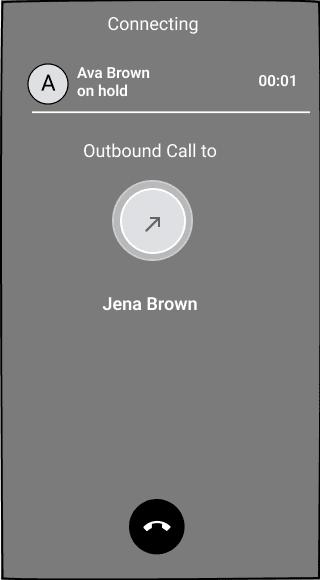
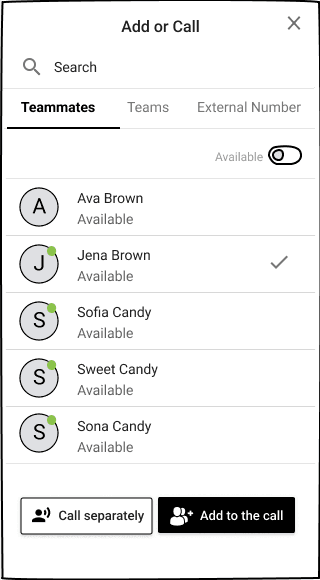
Agents wanted to brief a teammate before passing a caller on. The transfer sheet offers “Talk first” or “Transfer now”, and the caller is held automatically while the agent consults.
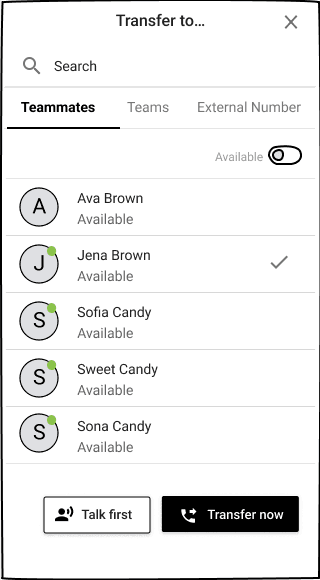
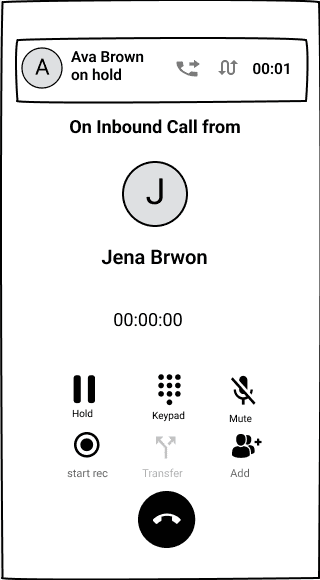
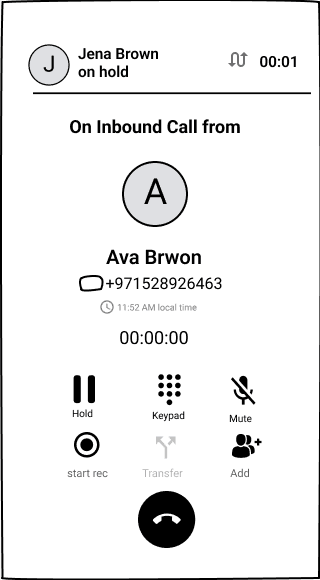
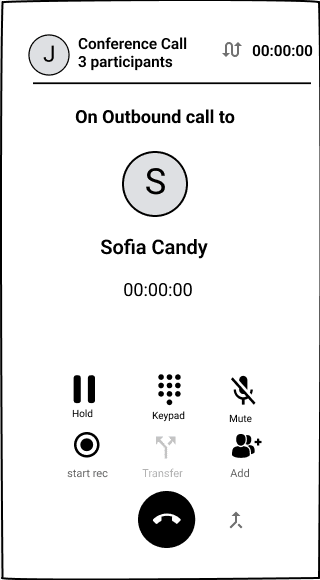
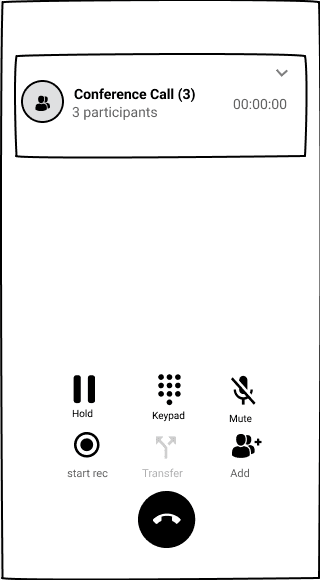
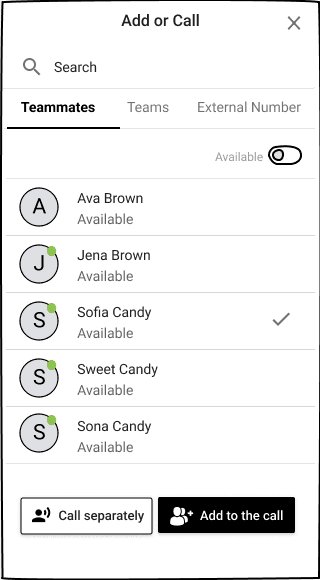
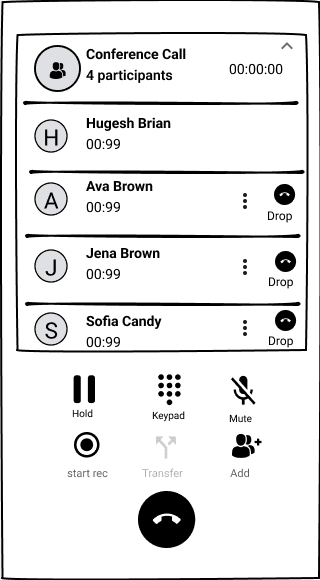
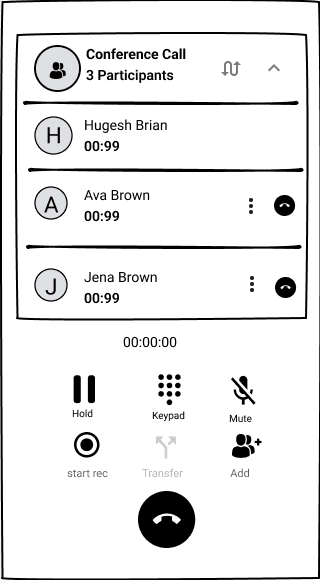
The same people picker powers “Add”, so agents learn it once. They choose to call someone separately or add them straight in, then manage participants from a collapsible conference header.
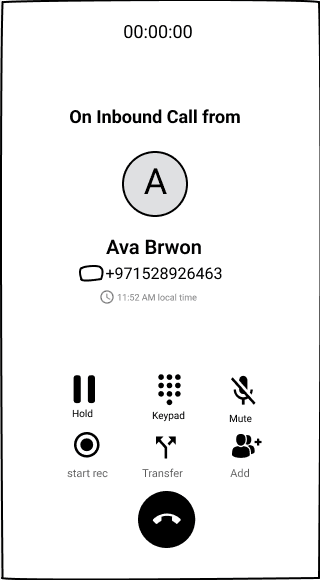
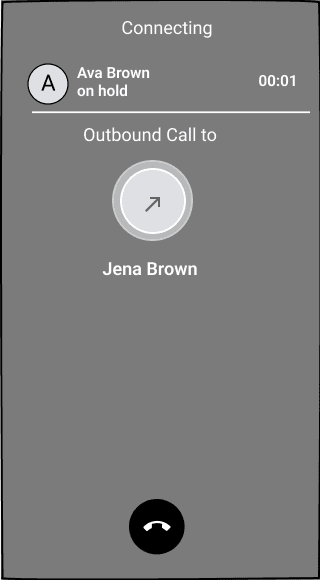
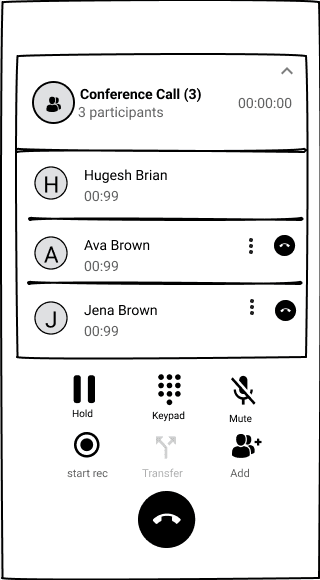
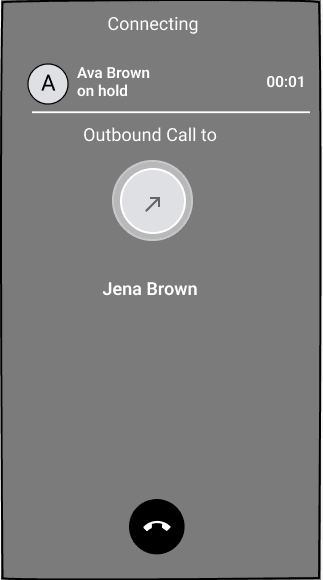
With two lines open, the held call stays pinned at the top with its own timer, and swap and merge sit next to it — so agents always know who can hear them.
The Solution
A WhatsApp Business integration that brings contact center capabilities — routing, templates, analytics — to WhatsApp while preserving its conversational nature. The agent interface balances enterprise efficiency with the personal touch the channel demands.
Conversational Agent Workspace
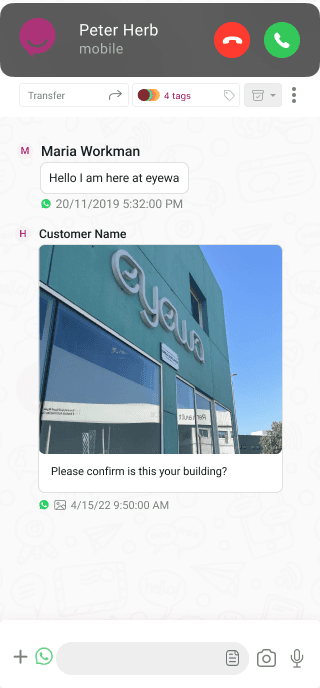
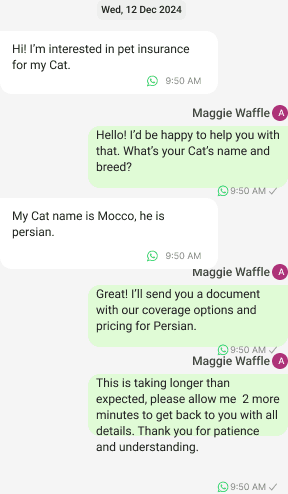
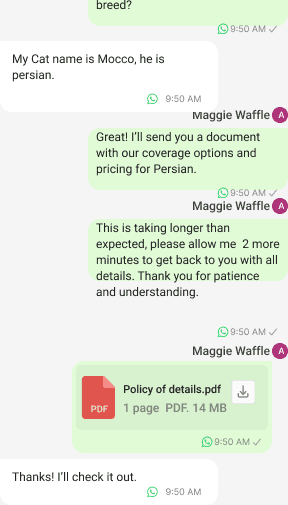
Unified inbox for WhatsApp conversations with a context panel showing full customer history, smart suggestions, and quick actions — everything an agent needs without switching tabs.
Voice and Call Features
Integrated voice alongside WhatsApp so agents manage both channels from one workspace. Conversation context persists across a WhatsApp thread, a voice call, and an SMS follow-up.
Smart Inbox Management
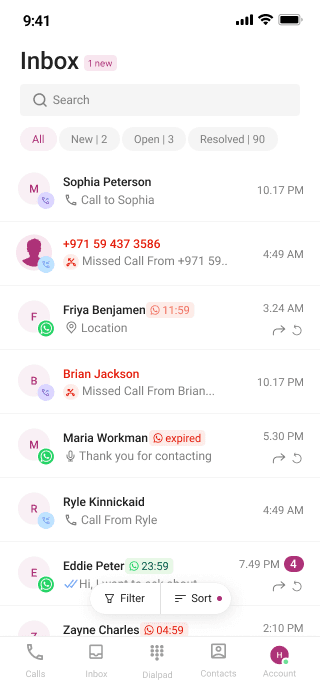
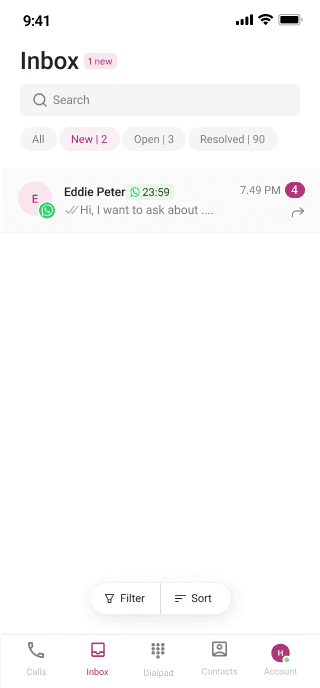
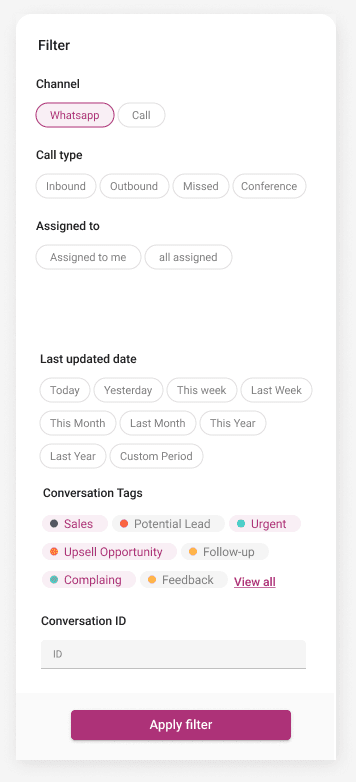
Dynamic inbox with filtering by conversation status — All, New, Open, Resolved — letting agents immediately see what needs attention without manually scanning every thread.
Advanced Sorting & Organisation
Flexible sorting (Newest, Oldest, Unread) combined with assignment filters (Assigned to me, All Assigned) so agents structure their day around priority, not arrival order.
Delightful Empty States
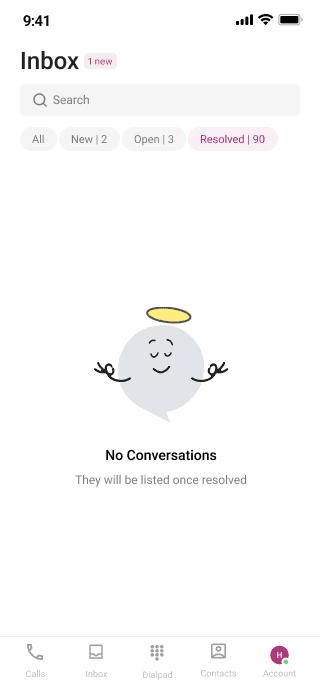
Thoughtfully designed empty states with encouraging messages transform quiet periods into a positive experience — 'No New Conversations' feels like a win, not a bug.
Quick Response Templates
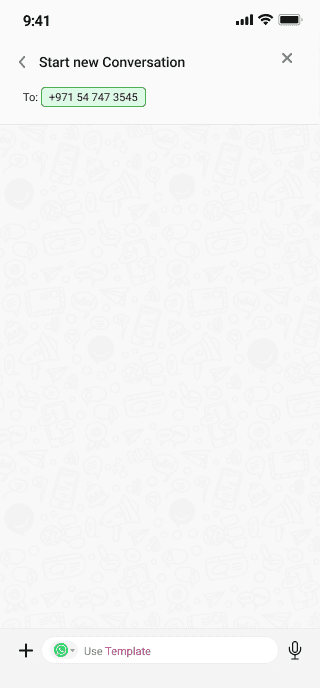
Searchable template library with customisable placeholders reduces response time by 70%. Agents preview and personalise before sending — speed without sacrificing tone.
WhatsApp Business Templates
Official pre-approved templates with variable placeholders for loyalty offers, promotions, and time-sensitive outreach — compliant with WhatsApp Business API guidelines.
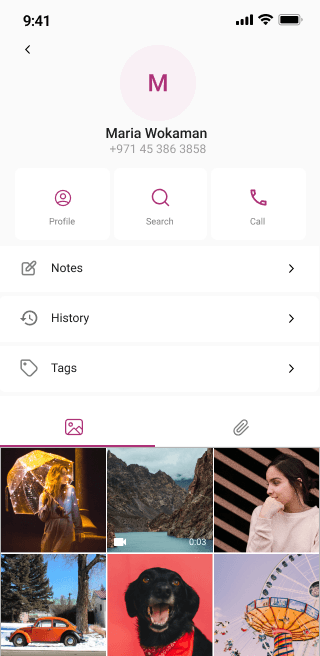
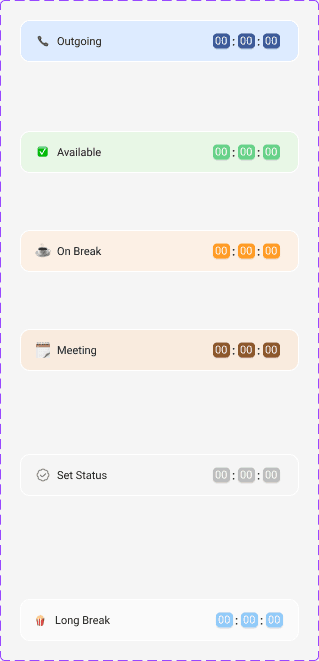
Custom Agent Statuses
Agent presence management with statuses — Available, On Break, Training, Meeting, Outgoing — integrated with call statistics so supervisors see real-time availability without interrupting agents.
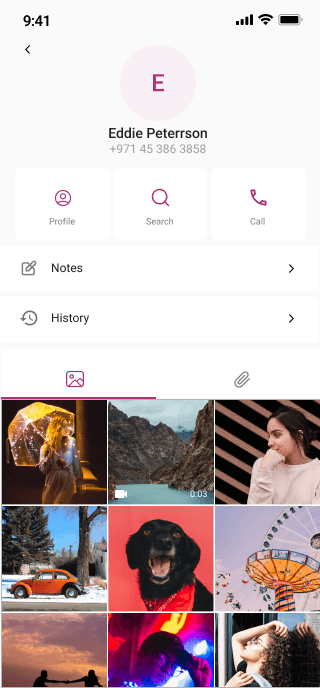
Contacts Management
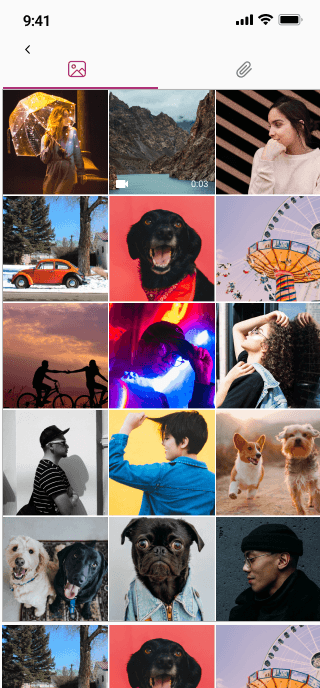
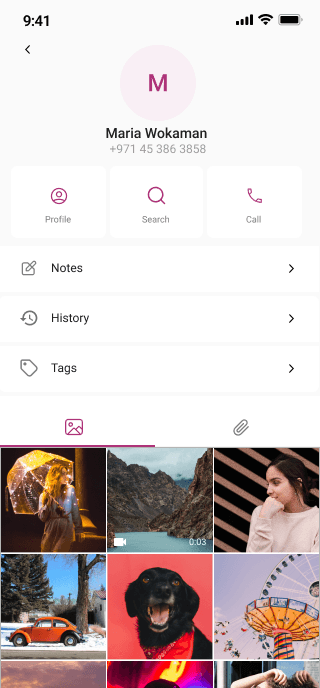
A complete contact management interface designed for seamless customer interaction tracking and profile management across all channels.
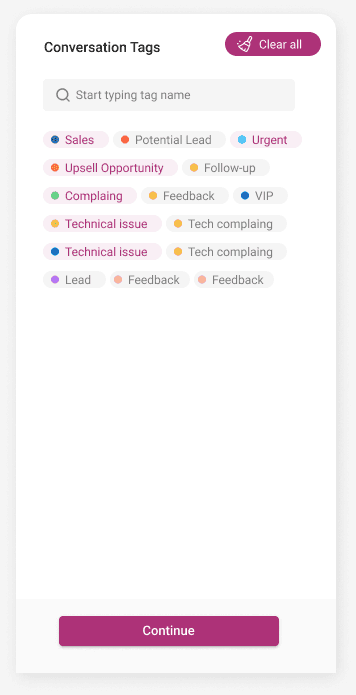
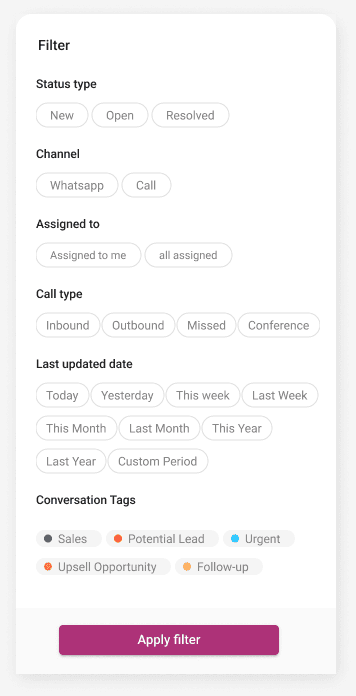
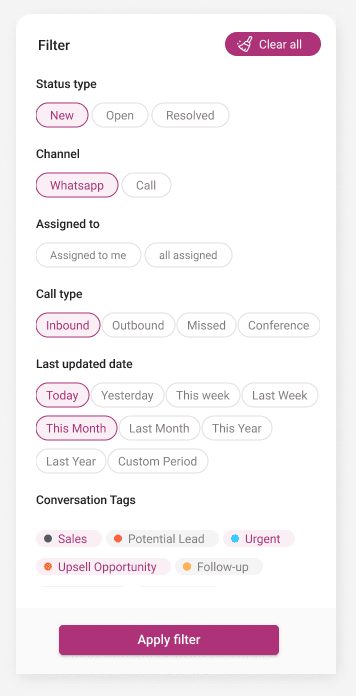
Advanced Filters
Multi-criteria filtering lets agents quickly surface the right conversations — by status, channel, agent, tag, date range, and priority.
What I Learned
Omnichannel Must Feel Seamless, Not Stitched
The biggest UX risk was making the product feel like two separate tools bolted together. Designing conversation continuity across WhatsApp and voice — shared history, persistent context — was the core UX challenge. Every design decision was evaluated: does this feel like one product?
Speed Matters More on Messaging Than Any Other Channel
A 5-minute SLA on WhatsApp forced us to radically rethink the agent workspace. Every interaction — finding a contact, pulling up history, sending a template — had to be achievable in seconds, not clicks. Template search, keyboard shortcuts, and context panels were all optimised for speed.
Enterprise Features Must Not Sanitise the Conversational Feel
WhatsApp feels personal. Routing rules, SLA timers, and compliance templates risk making it feel corporate and cold. Designing templates that feel conversational, empty states that feel human, and status flows that respect agent autonomy preserved the channel's warmth at enterprise scale.
Contacts Management is the Unsung Hero of CX Quality
Agents who could see the full communication timeline — every message, call, note, and document — resolved issues 40% faster in usability testing. The contact management feature, often treated as a database view, became one of the most valued screens in the product.
Interested in this case study?
Let's discuss how we can build high-trust experiences together.
Start a Conversation →